Guides
Adapting a full project
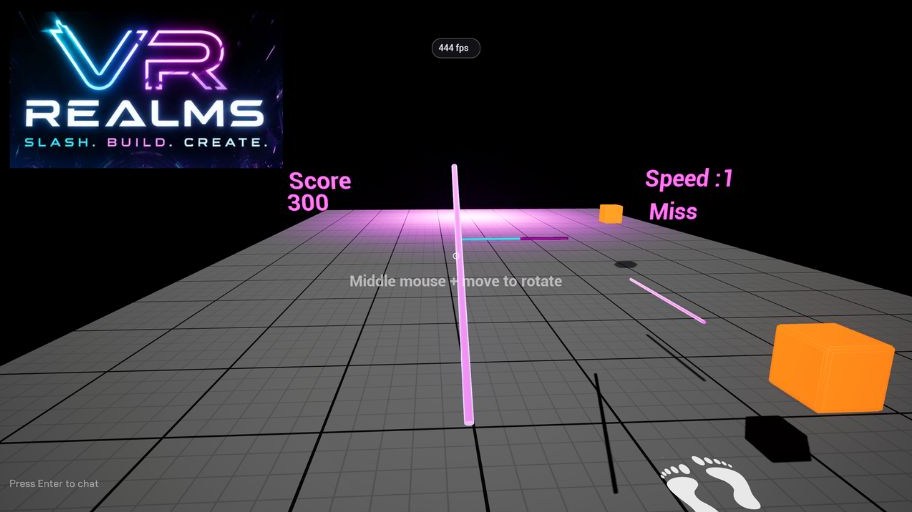
You can take a finished UE5 VR project, whether you built it, commissioned it or licensed it, and bring it into VR Realms as a Workshop map. What you are really doing is keeping the art and re-pointing the logic at our player instead of the one the project shipped with. This page walks the whole job, using a saber game we converted as the worked example.
What survives and what does not
Meshes, materials, textures, audio, particles, lighting and level layout all come across untouched. Blueprints come across too, so a Workshop map can ship your own Blueprints. What does not survive is anything bound to the template's own player: its pawn, its GameMode, its input mappings, and every node that reaches for them.
That is the whole job in one sentence: the template drives everything through a player it supplies, and VR Realms supplies the player instead.
Only convert a project you have the rights to. This guide is for projects that are yours to publish: your own work, work you commissioned, or a pack whose licence permits it. Two rules follow from that. Ship Blueprints you wrote. The ones inside a purchased pack are usually not yours to redistribute, so rebuild that behaviour rather than uploading theirs. And your map may only reference what VR Realms itself has; a node that reaches into a plugin the Creator Kit does not ship fails at build time.
Before you touch anything: duplicate the folder
Duplicate the entire template folder, not just its map. Duplicating a level does not duplicate the assets it points at, and the Build step moves referenced assets into your map's folder rather than copying them. Skip this and the original is gutted the first time you build.
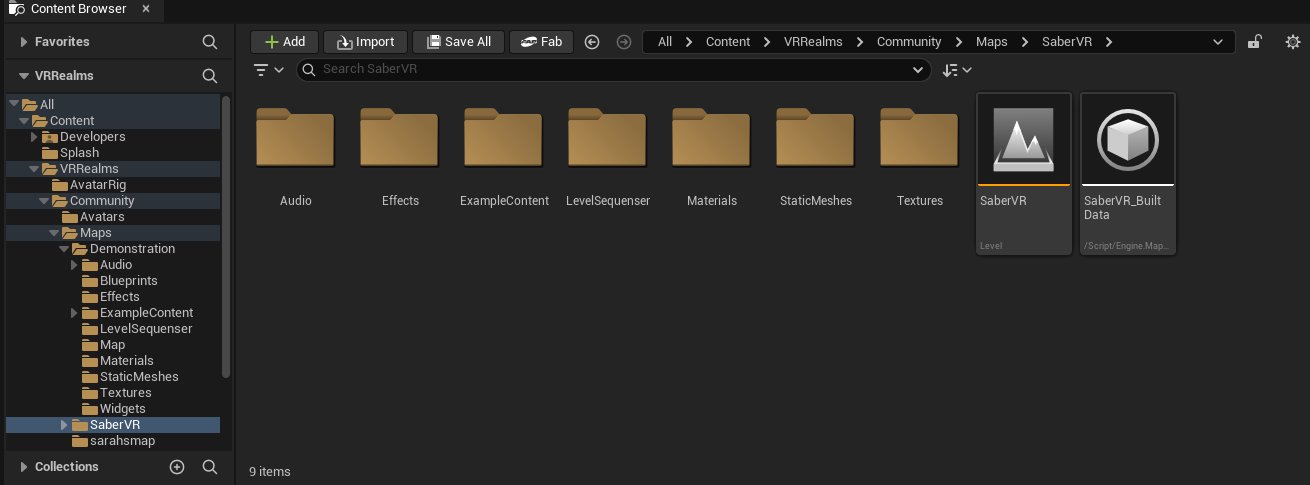
Community/Maps/Demonstration with all of its subfolders; the SaberVR level next to it is the one that gets built.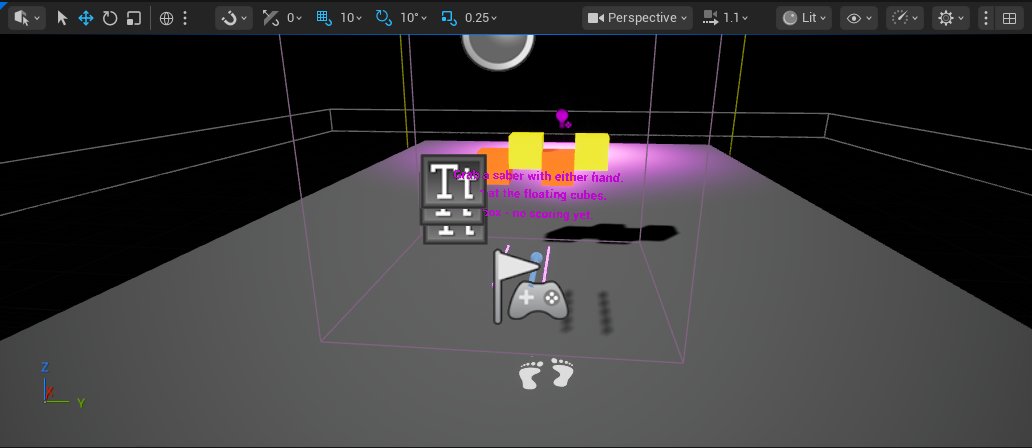
Step 1: Find the template's player
Most complete VR projects are built on Epic's VR Template, so the names repeat from project to project. Look for:
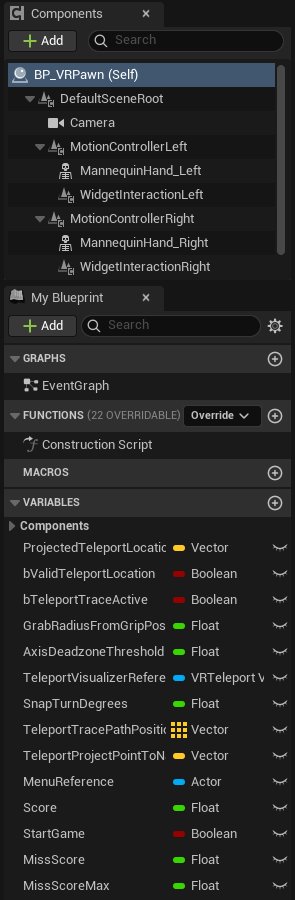
BP_VRPawn: the player. Owns teleport, snap turn, grab, and usually the game's score.VRGameMode: sets that pawn as the default.BP_GrabComponent: the template's own grab system.- An
Inputfolder of Actions and Axes that only its pawn binds.
Open the pawn and list its variables. You will usually find two very different groups: plumbing (teleport trace, snap-turn degrees, held components) and game state (score, lives, misses). In our saber project the pawn had sixteen variables and only four mattered: Score, StartGame, MissScore, MissScoreMax.
Step 2: Demote the pawn instead of deleting it
Deleting the pawn breaks every Blueprint that referenced it. Demote it instead:
- Delete its functions: teleport, snap turn, grab and menu. None can work without the template's input.
- Delete everything in its Event Graph. It is all input handling.
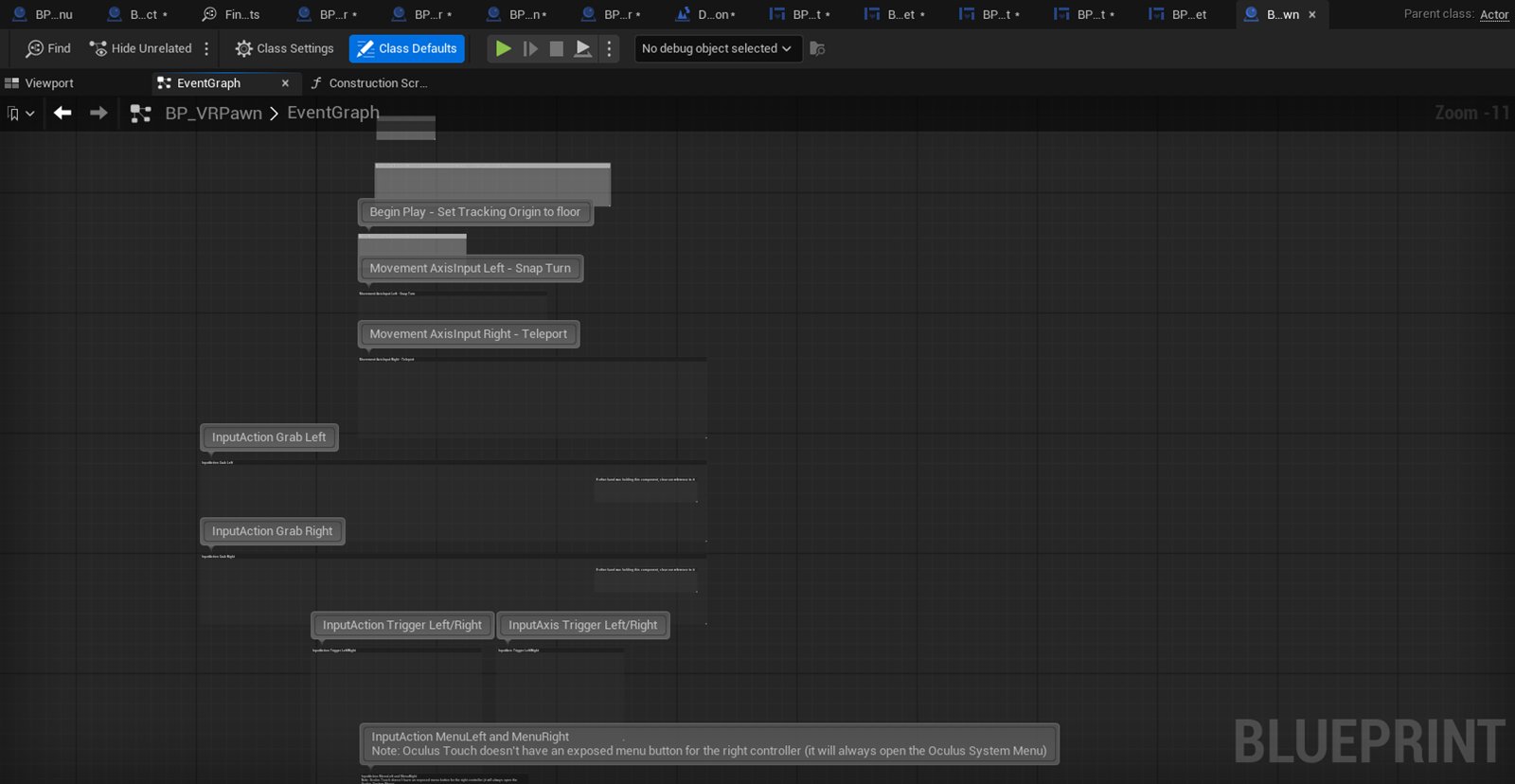
- Reparent it from Pawn to Actor (Class Settings → Parent Class).
- Drag one copy into your level. It is now a plain actor holding the game's numbers.
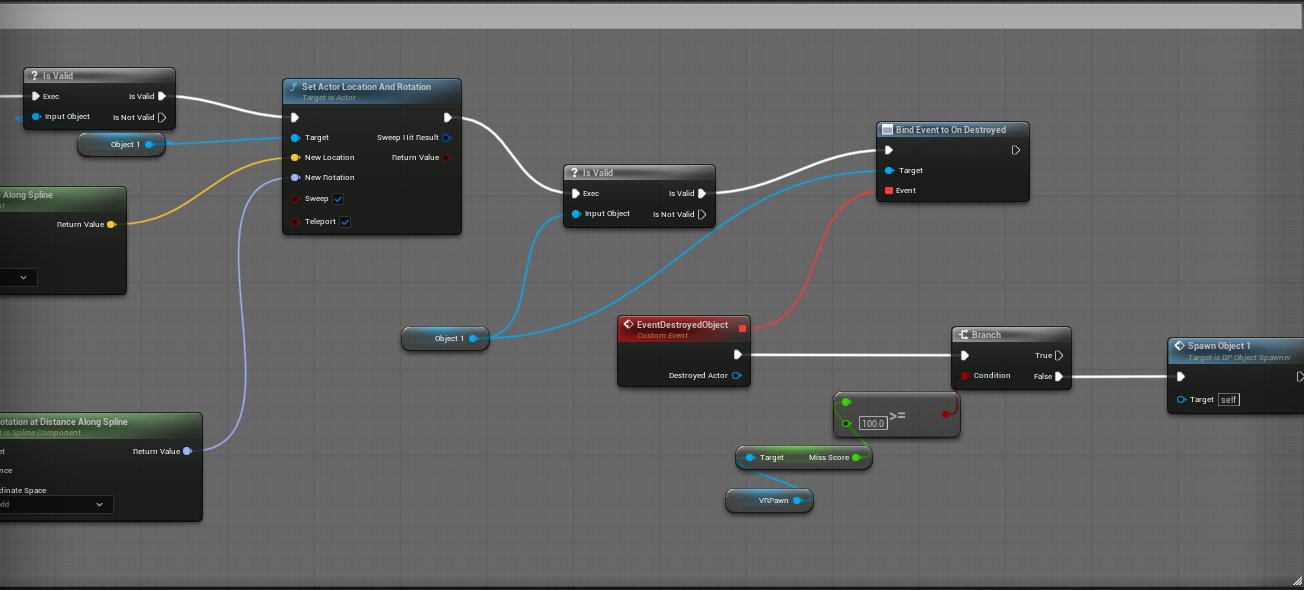
Reparenting beats making a fresh class: every Blueprint that stored a reference to the pawn keeps its variable type, so nothing downstream needs retyping. In the saber project this turned eleven broken Blueprints into nine one-node edits.
Hide it in the level (Actor → Rendering → Actor Hidden In Game). It still carries the pawn's old camera and hand meshes, and without this you get a disembodied hand floating where you spawn.
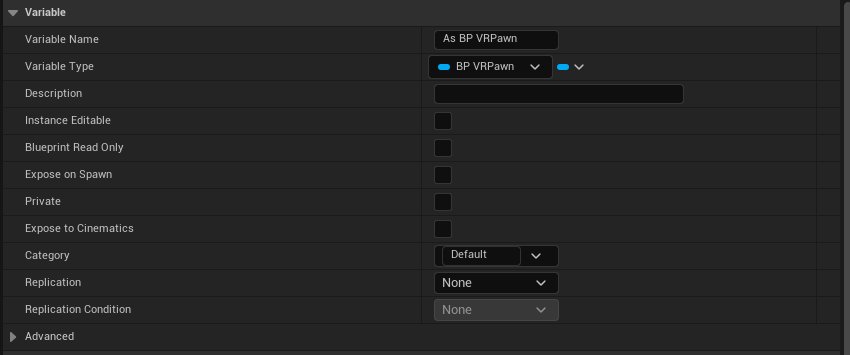
BP VRPawn and needed no retyping.
Step 3: Repoint every reference (the node-level bit)
Search each Blueprint for its cast to the pawn. The template's pattern is almost always the same:
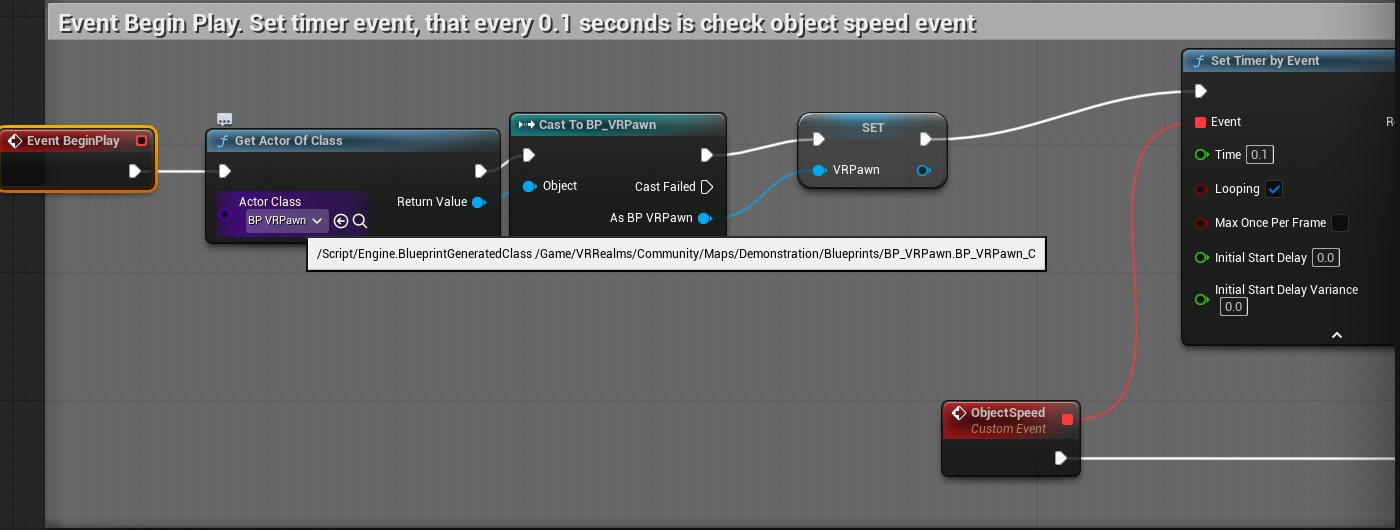
Get Player Pawn → Cast To BP_VRPawn → (store it / read Score)That cast now fails, because VR Realms' player is not that class. Replace only how it is found:
Get Actor Of Class (BP_VRPawn) → Cast To BP_VRPawn → (unchanged)Concretely, in each graph:
- Add a Get Actor Of Class node and set Actor Class to the demoted pawn.
- Drop it into the execution line just before the Cast.
- Wire its Return Value into the Cast's Object pin.
- Delete the old Get Player Pawn.
- Leave everything after the Cast alone.
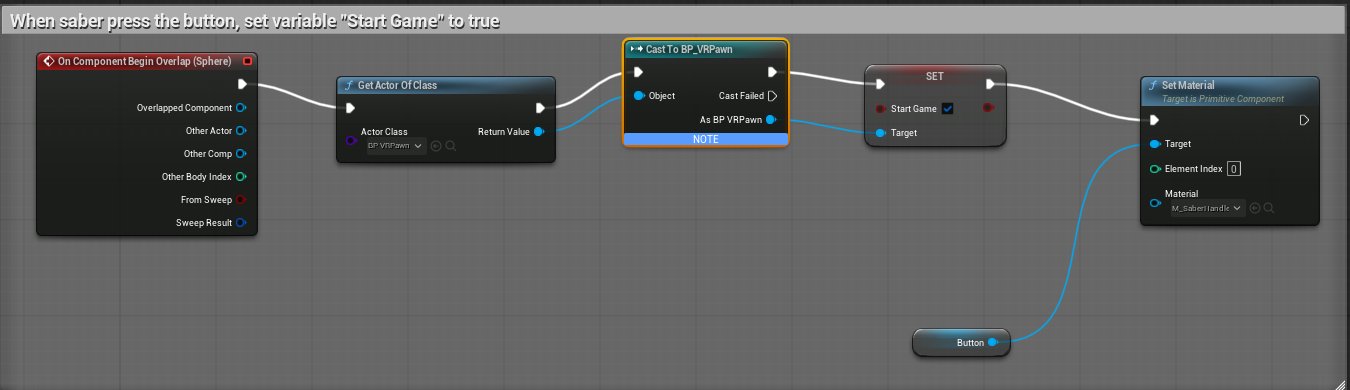
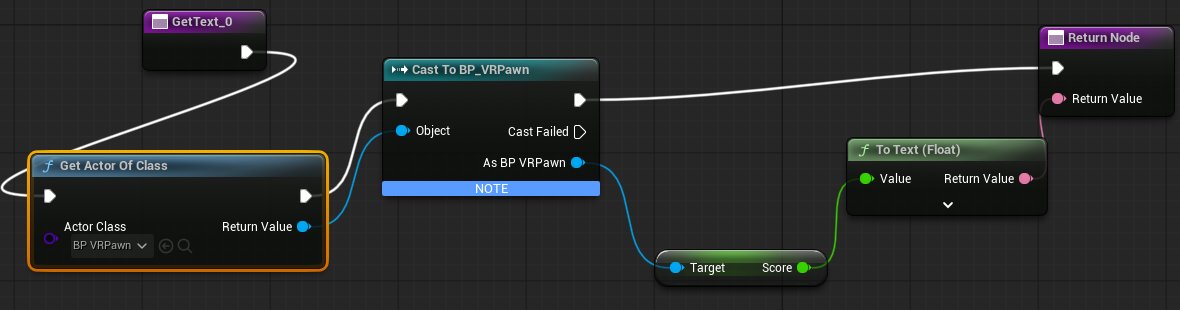
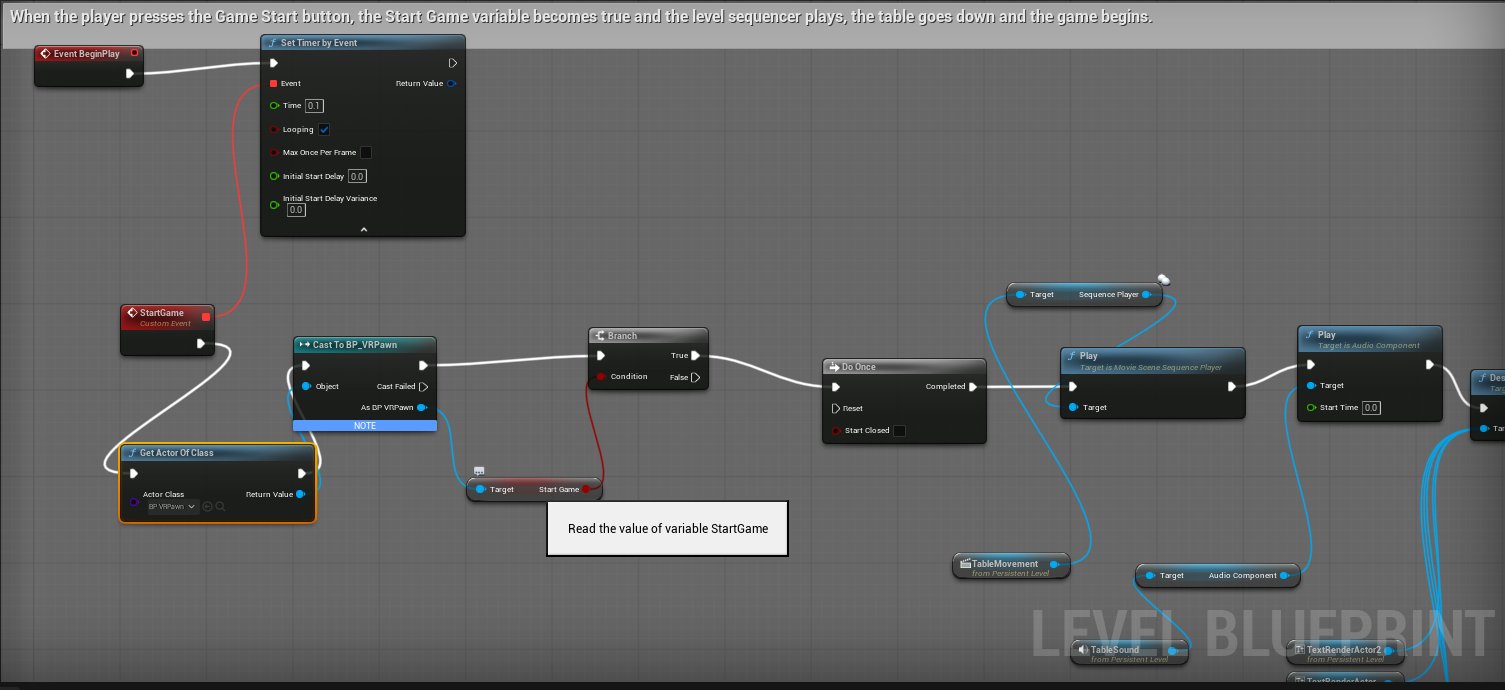

Check what feeds each cast before you swap it. Most are Get Player Pawn, but a trigger volume may be casting the overlapping actor instead. It is a same-looking node with a completely different meaning, and replacing that one silently breaks the trigger.

Step 4: Clear the GameMode
In World Settings, set GameMode Override to None, and delete the template's GameMode asset. A Workshop map must never set one; VR Realms supplies it.
This is the single most common build failure on a converted project, and the error never mentions World Settings. You get a wall of compile errors inside a pawn you thought you had removed, because one property on an actor you never look at is still dragging the whole player chain into the build.
Step 5: Put objects back in the player's hands
The template's grab system died with its pawn. Two ways to replace it.
Grabbable props (recommended)
Place the mesh as a plain Static Mesh Actor and tag it VRGrab. Players grip to pick it up and grip to drop it, with our physics and networking for free.
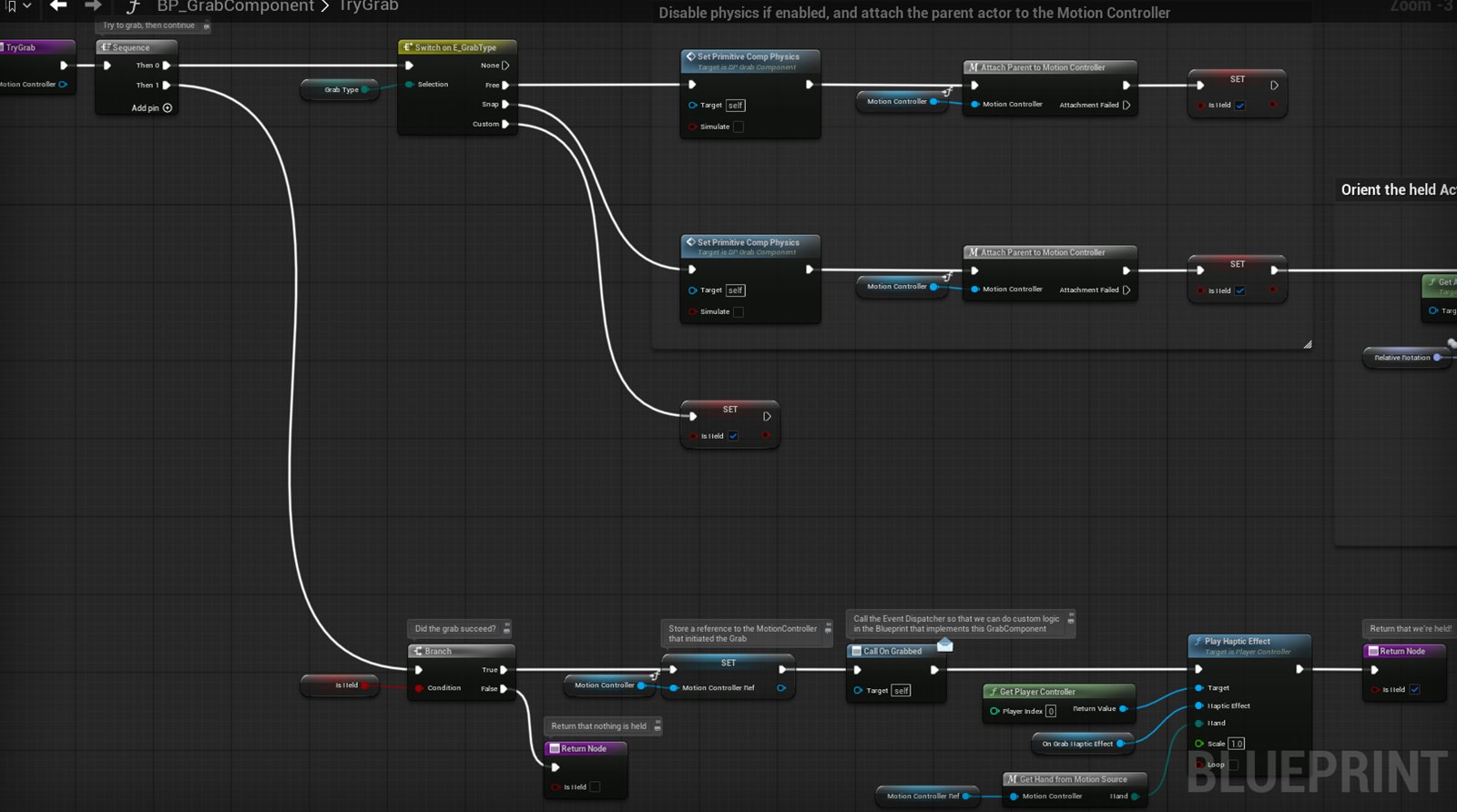
VRGrab tag replaces.The trap that cost us a full test cycle. The VRGrab tags are consumed when the prop is created, so the object you can grab in game does not carry them. So Actor Has Tag "VRGrab" is always false at runtime, and any logic gated on it silently never runs.
If your gameplay needs to recognise the held object, as in "did the saber hit this cube?", add a second tag of your own, such as MySaber, and test for that instead. Tags outside the VRGrab family are carried across intact.
Attach to the hand
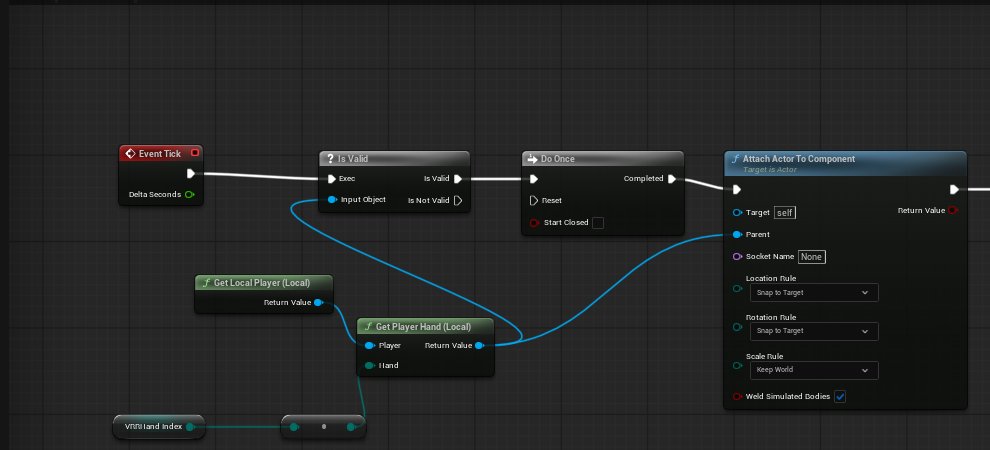
If the object should never be dropped, skip grabbing: on Tick, call Get Player Hand (see the Scripting API), check it is valid, and attach your actor to it inside a Do Once. Valid gates until the player has spawned; Do Once stops it re-firing every frame.
Attaching has a real cost, though: an attached actor moves by inheriting its parent's transform, not by sweeping through the world, so it generates no hit events. If your gameplay depends on the held object striking things, use a grabbable prop.
Step 6: Hunt down editor-only content
Templates are full of assets from /Engine/VREditor/ and similar editor-only folders. They work perfectly in the editor and simply do not exist in the packaged game. Symptoms: meshes missing, everything untextured, or a load error naming a package that "was not available".
In the saber project all four target meshes used materials from /Engine/VREditor/BasicMeshes/, so every block arrived untextured. Reassign anything living under /Engine/ to materials inside your own map folder.
Step 7: Lighting and exposure
Deleting and moving actors invalidates any built lighting, and Static lights contribute nothing without it. The result is a nearly black level where auto-exposure ramps to maximum and the few lit surfaces blow out to white, which reads as "too bright" when the real problem is too dark.
- Set the level's lights to Movable so they need no bake.
- Add a Post Process Volume, tick Infinite Extent (Unbound), and set Exposure Min and Max Brightness to the same value to pin it.
Step 8: Build, test, and read the log
Build the map from the publish panel, upload, and play it. When something does not work, do not guess at it. The map can tell you. Drop a Print String at the top of the event you think should be firing, and another after the branch you think should be passing.
We chased a saber's length, then its collision, then its physics setup, across several build-and-upload cycles. Two Print String nodes answered it in a single test: the event was firing correctly all along and a tag check was returning false. Print output lands in the game log under LogBlueprintUserMessages.
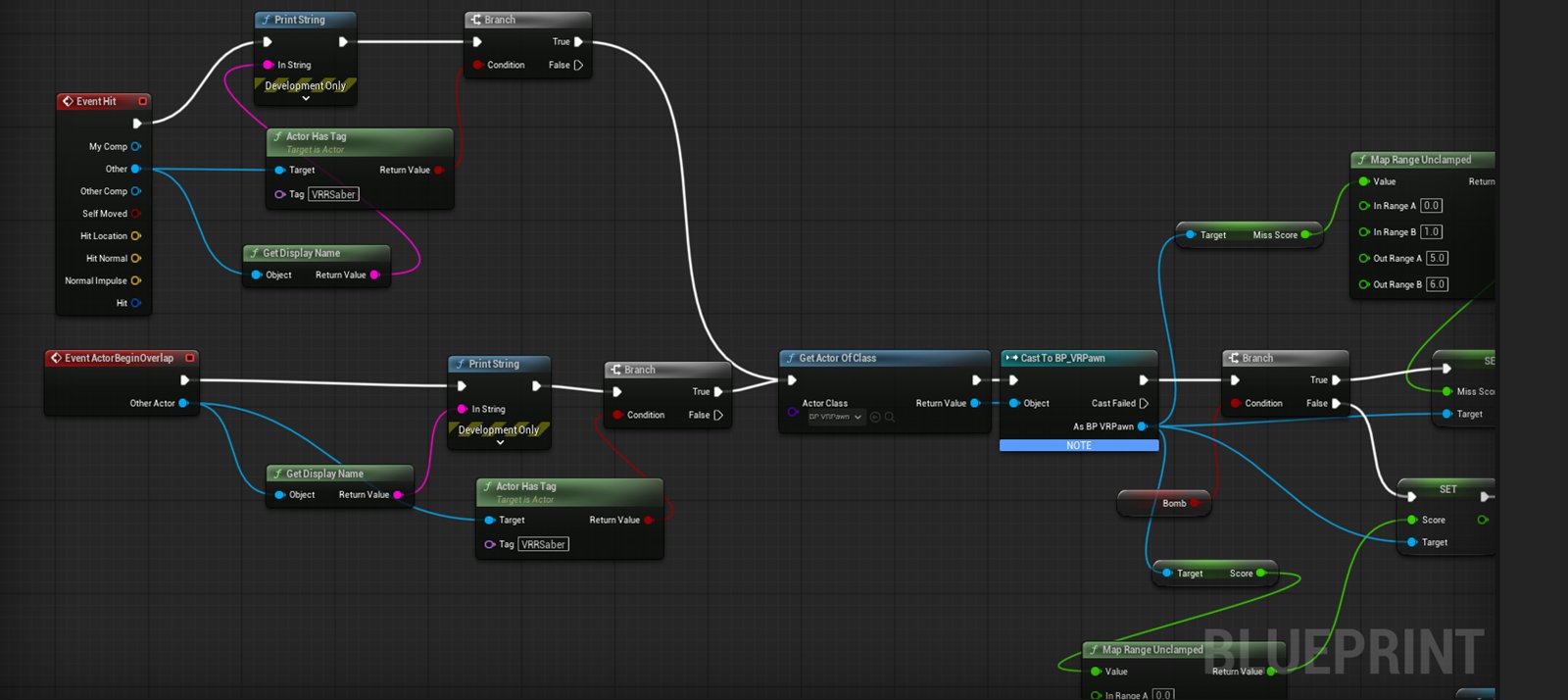
VRRSaber tag, and only then does the score change through the repointed Cast.VR and desktop players
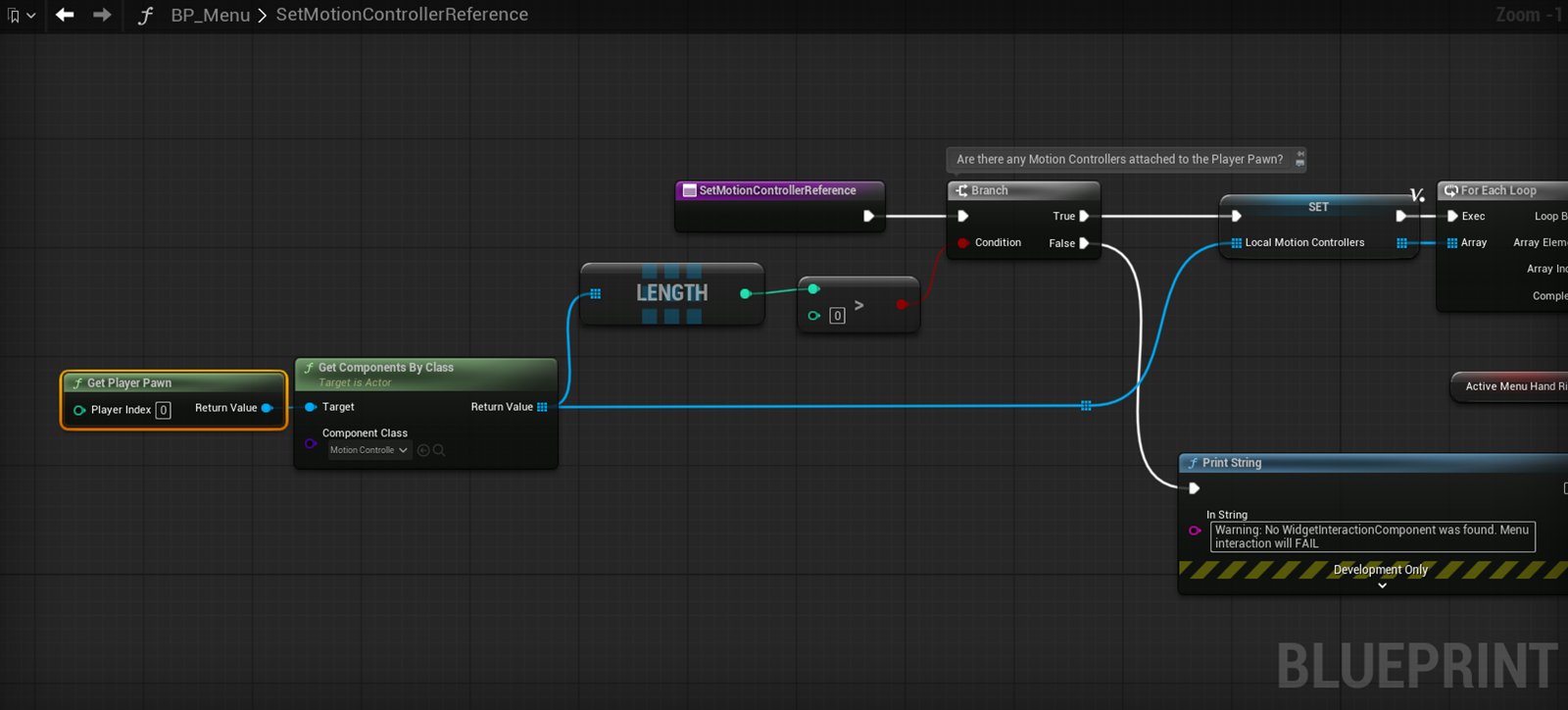
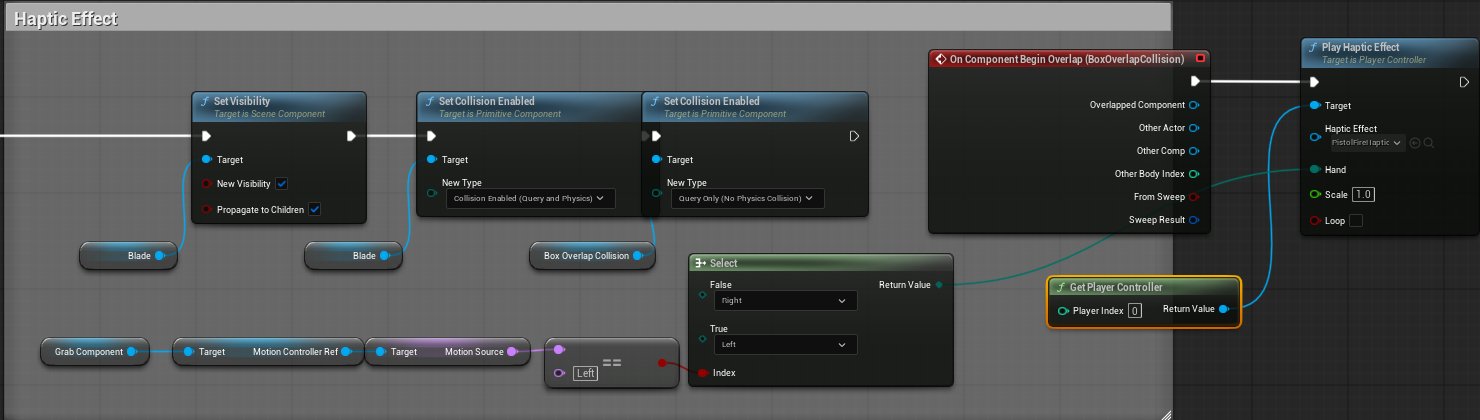
Every VR Realms map is played by both. A project built as a VR template assumes two motion controllers, and if you leave that assumption in place you quietly shut out every desktop visitor.
The safest conversion is the one in Step 5: make things grabbable props rather than attaching them to a hand. Grabbing is routed through the player, so the same map works for a VR player squeezing grip and for a desktop player picking the object up, so you author it once. Anything bolted straight to a motion controller, or any logic that reads a controller pose directly, has no desktop equivalent.
Two things worth checking before you publish:
- Can a desktop player start and finish it? Buttons, pickups and triggers should all be reachable without motion controllers.
- Does anything need two hands at once? Two-handed gestures are VR-only. If one gates progress, desktop players stop there.
Test both. Launching on desktop is far quicker than putting the headset on, and it catches the whole "this only works with controllers" class of bug in one pass.
Worked example: the saber game
The saber map began as an off-the-shelf saber project. Start to finish:
- Duplicated the template folder, then duplicated its map into
Community/Maps/. - Stripped
BP_VRPawnto its four game variables and reparented it to Actor. Placed one, hidden, in the level. - Repointed nine Blueprints (spawner, saber, trigger, start button and five widgets) from
Get Player PawntoGet Actor Of Class. One node each. - Cleared the GameMode and deleted the template's GameMode asset.
- Replaced the saber Blueprints with Static Mesh Actors tagged
VRGrab, so players grip to pick them up. - Reassigned every target mesh's material away from editor-only content.
- Lights to Movable, added an unbound Post Process Volume with exposure pinned.
- Gave the target cubes a hit event that checks for our own saber tag, then scores and destroys.
- Rewrote the on-screen text, which still explained controls that no longer existed.

VRR after the Build: every class reference now points under Community/Maps/Demonstration, which is what the publish panel moved.What could not come across: the template's own pawn, its GameMode, its input mappings and its grab system. Everything that made it look like that game, including meshes, materials, audio, splines, the spawner and its difficulty curve, came across untouched.
Quick reference
| Symptom | Cause |
|---|---|
| Compile errors inside a pawn you deleted | World Settings still sets the template's GameMode |
| Blueprints you removed keep rebuilding | Everything in the map's folder is built whether referenced or not, so delete the assets rather than just unhooking them |
| Untextured or missing meshes | Materials or meshes point at /Engine/ editor-only content |
| Blinding white, no detail | Unbuilt Static lights plus unbounded auto-exposure |
| Tag logic never runs on a grabbable | VRGrab tags are consumed on pickup, so use a second tag of your own |
| Held object passes through things | Attached actors do not sweep, so they raise no hit events. Use a grabbable prop instead |
| Original template folder emptied | Build moves referenced assets rather than copying them, so duplicate the folder first |
Budget for it honestly: the art is the part you already have, and re-pointing the logic is the part you do. On a small game that is an afternoon.