UGC Tools
Updating the kit
Your maps and avatars live under Content/VRRealms/Community/. That folder is yours, and kit updates never need to touch it.
Community folder across, as under Engine update below.Small update (most releases)
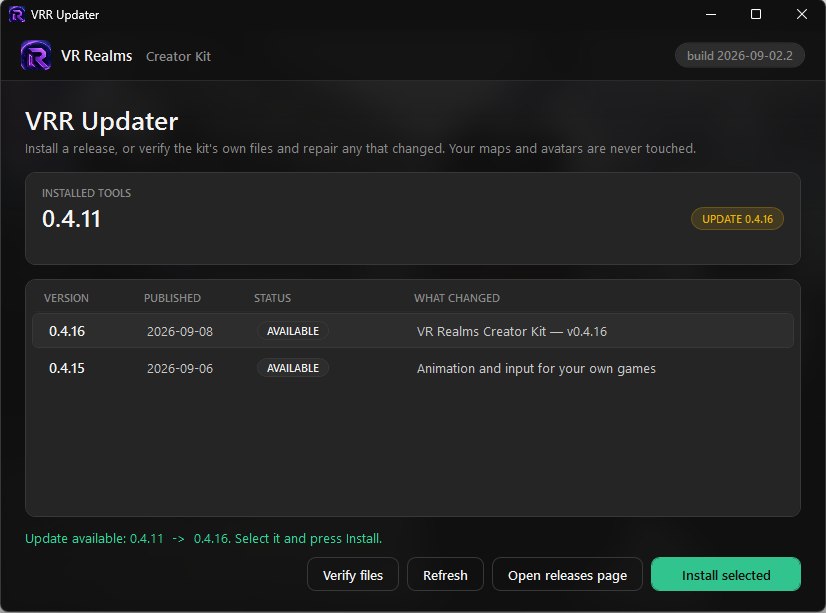
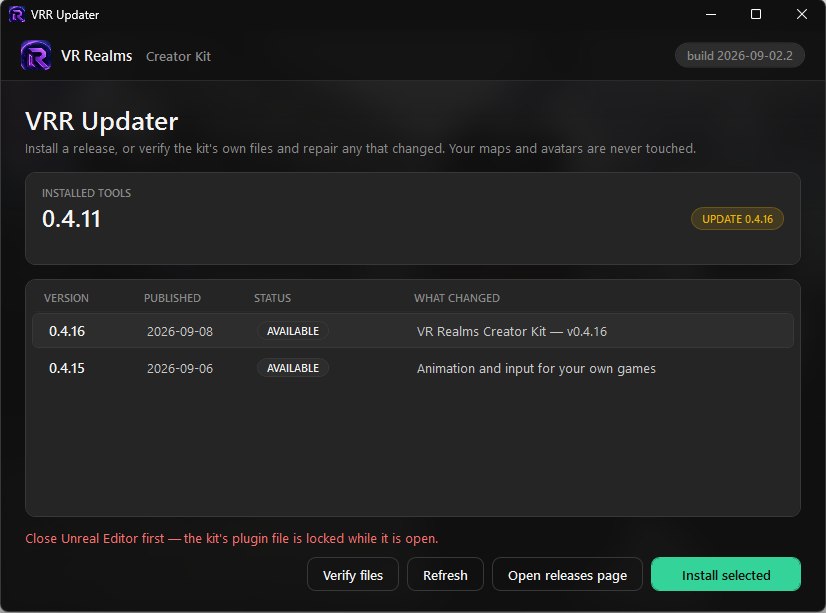
Use VRR Updater. It lists the releases, downloads and verifies the one you pick, backs up the kit’s own files first, and never touches Community. If you would rather do it by hand, close the editor and extract the update-only zip over the kit; it holds the plugin binaries and, now and then, a Config file.
- Close Unreal Editor. The kit’s plugin file is locked while it is open, and the updater will tell you so.
- Double-click
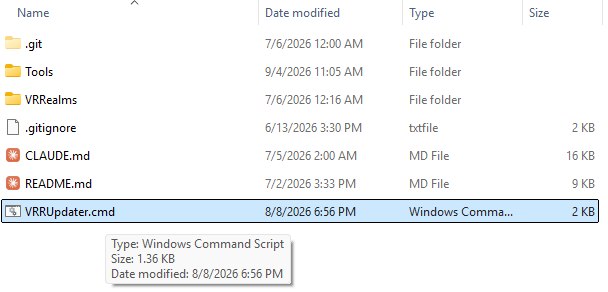
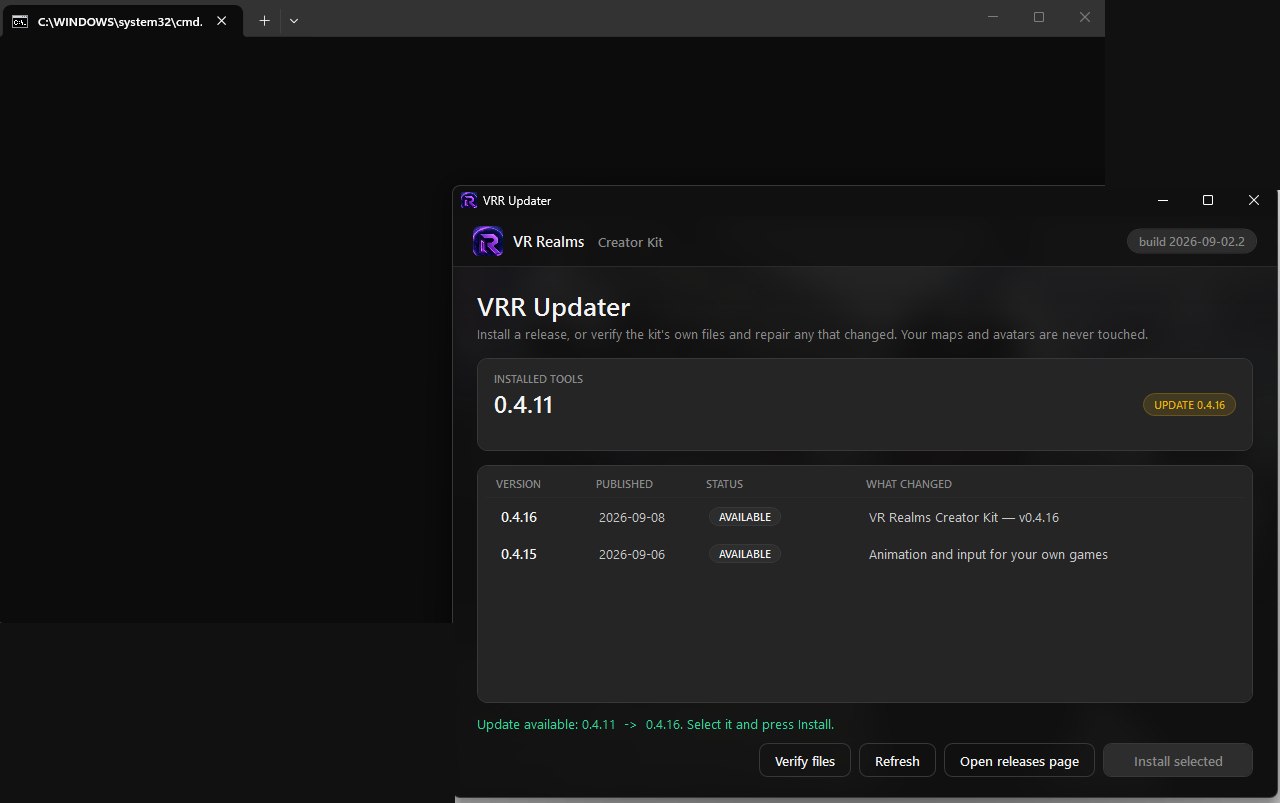
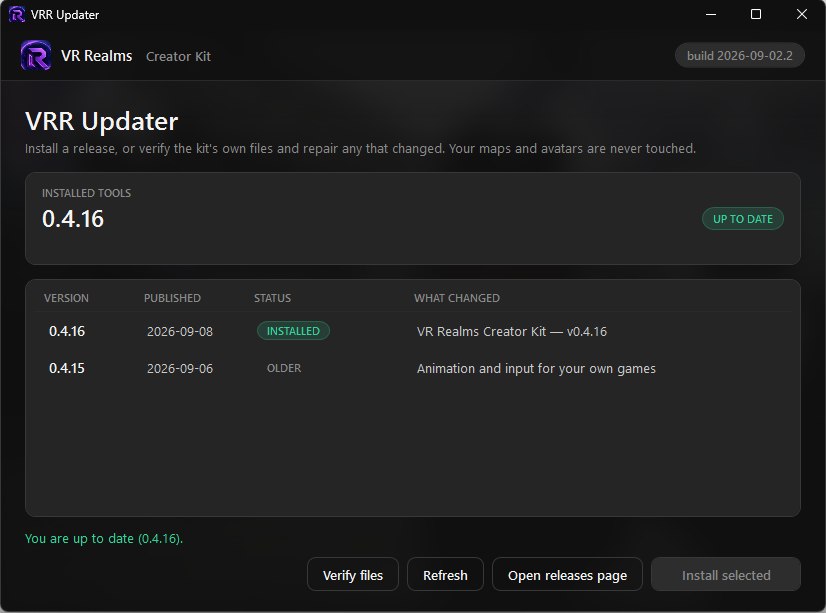
VRRUpdater.cmdin the kit folder. A console window opens first, then the updater. - The top card shows what you have installed and whether an update exists. Select the release in the list and press Install selected.
- When it says you are up to date, open the editor again. Your maps and avatars are exactly where you left them.
Verify and repair
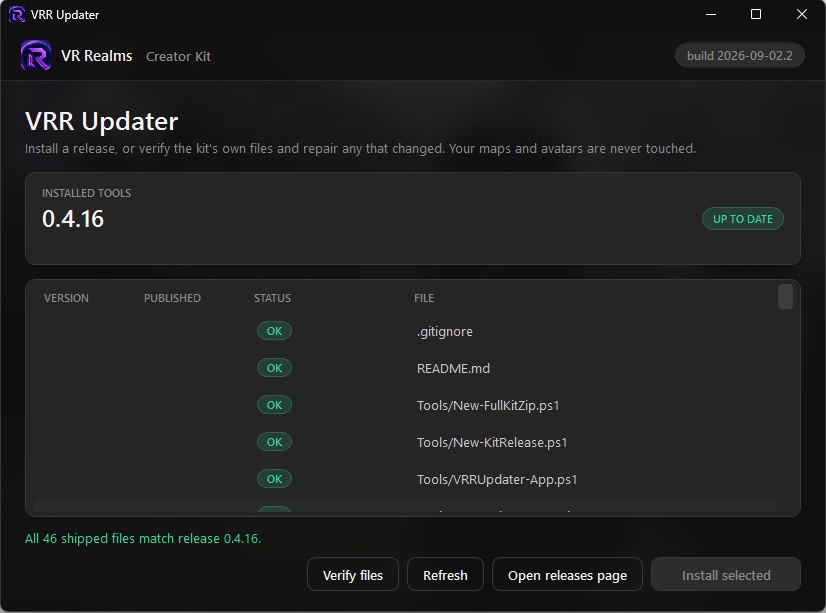
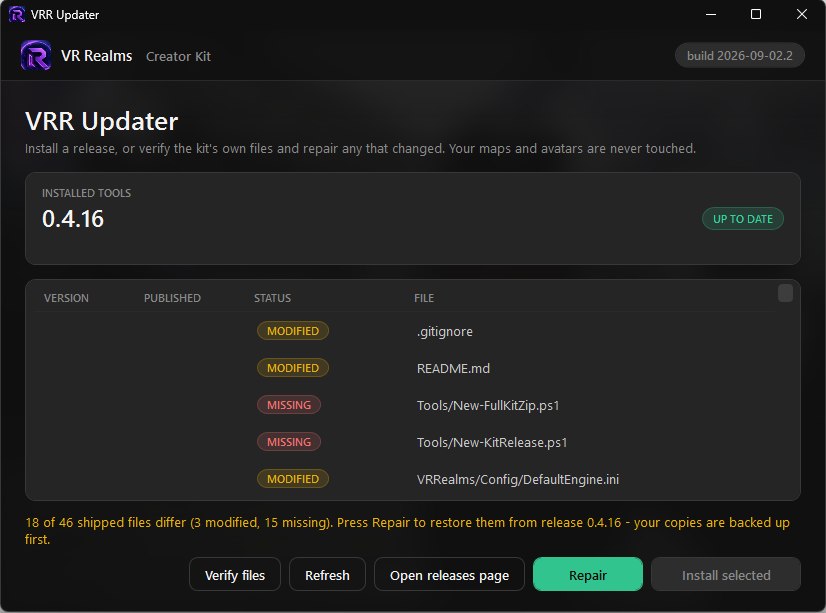
Verify files compares every file the kit ships against the installed release. All green means nothing changed. If some read MODIFIED or MISSING, Repair restores those files from the release; your copies are backed up first, and Community is never part of the check.
If the install says a file is denied
If Install or Repair stops with “Access to the path is denied”, or says Windows will not let VRR Updater replace a file, and Unreal Editor is closed, your security software is almost always the cause. The ransomware protection in several antivirus products stops unknown programs from changing documents and pictures in folders like Desktop and Documents, and the kit carries a few .txt and .png files.
- Allow the kit folder, or PowerShell (VRR Updater runs on it), in that protection, then press Install again.
- Or move the whole kit folder somewhere plain such as
C:\VRRealmsCreatorKitand run VRR Updater from there. Your Community folder moves with it.
Nothing of yours is lost when this happens. The updater checks first and changes nothing when a file is refused, and it leaves alone any file that is already up to date. If an older updater replaced some files before it stopped, allow it as above and press Install once more to finish.
Engine update (rare)
Download the fresh kit, copy old Content/VRRealms/Community/ in, re-select your items and re-publish. Workshop IDs travel with each item.