Scripting API
Nodes
Everything sits under the VR Realms category in the Blueprint palette: Player, Realm, Points and Labels. The suffix on each node tells you where it runs, and that matters more than anything else on this page.
The three suffixes
| Suffix | Meaning |
|---|---|
| (Local) | Reads this machine’s copy. Safe anywhere. For remote players it is still right, because everything these nodes read is replicated to every machine. The exceptions say so in the table. |
| (Server) | Changes something everyone sees. Only does anything where the Blueprint has authority, which is the host. A trigger volume’s overlap also fires on the host’s copy for every player who walks in, so overlap-driven logic needs no networking nodes at all. |
| (Anywhere) | The few nodes a client may call directly. They travel to the host for you. |
What they look like
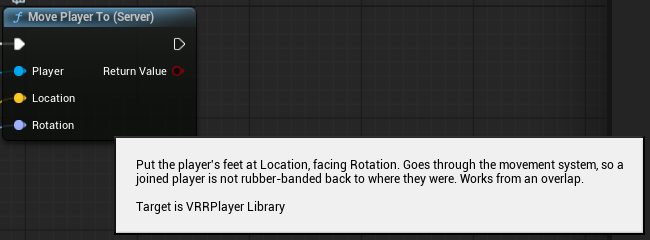
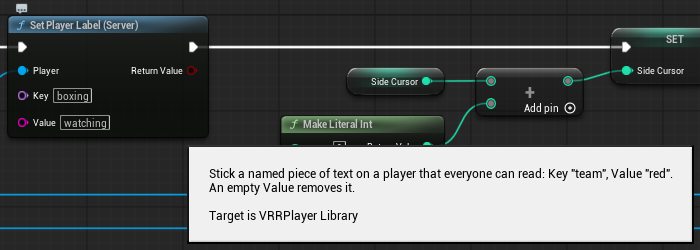
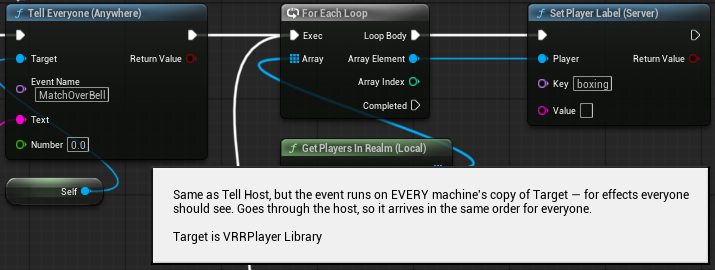
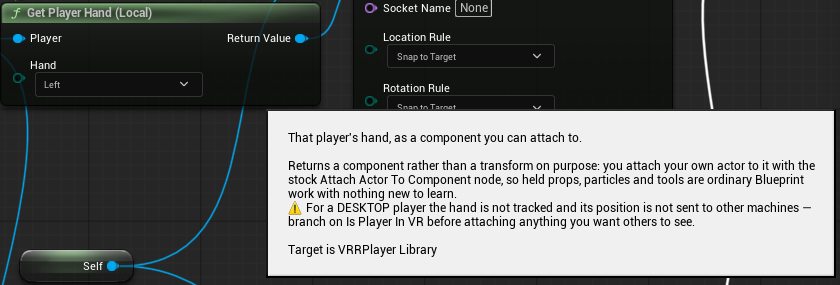
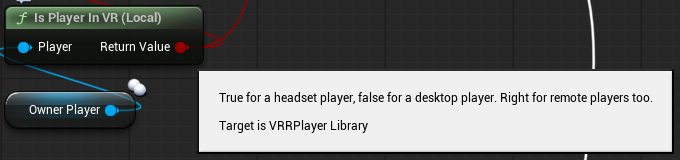
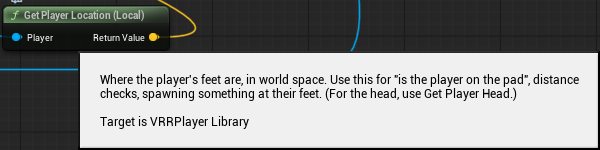
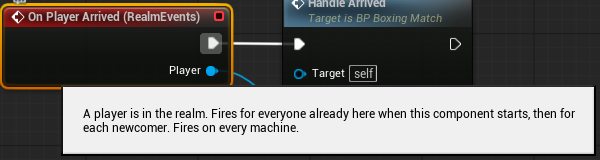
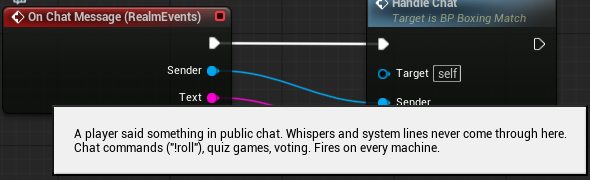
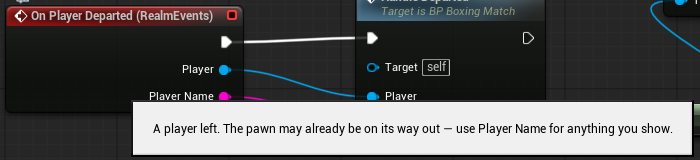
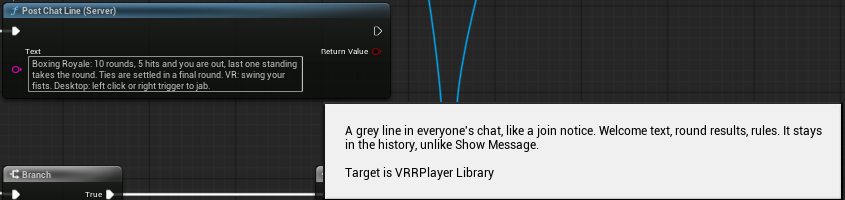
Each node in the Blueprint editor with its tooltip open, taken from the Boxing Royale build. Click any one to enlarge.
Who is this player
All Local. The last column says whether the answer is the same on every machine.
| Node | What it gives you | Replicated |
|---|---|---|
| Get Local Player (Local) | The player on this machine. Empty on a server, and before they have spawned, so always check it. | No. It is a different player on each machine, by definition. |
| Is My Player (Local) new | True if this pawn is the person at this machine. Use it for things only you should see or hear. | No, same idea. |
| Get Player Name (Local) | Display name, for scoreboards and messages. | Yes |
| Is Player In VR (Local) | True for a headset player. Right for remote players too. | Yes |
| Is Player On Desktop (Local) new | The opposite: mouse and keyboard, or gamepad. | Yes |
| Is Host (Local) new | True for the player hosting the realm. | Yes |
| Get Player Avatar Id (Local) new | The Workshop id of the avatar they are wearing. 0 for the default avatar. | Yes |
| Is Player Talking (Local) new | True while they are talking in voice. | As heard on this machine. |
| Get Player Loudness (Local) new | How loud, 0 to 1. Mouth flaps, “who is speaking” lights, voice-activated doors. | As heard on this machine. |
| Is Action Held (Local) new | True while the player is holding an action button: Fire, FireLeft, Grab, GrabLeft, Jump, Crouch, Sprint, Interact, Menu, Aim, ButtonB, ButtonY, StickLeft, StickRight. See On Player Action below for what each is on a headset, a keyboard and a gamepad. | No. Input never leaves a machine, so this is only known for the player at this machine. Use Tell Host to act on it. |
| Is Player Animating (Local) new | True while a clip from Play Animation On Player is running on that player. | Yes |
Where is this player
| Node | What it gives you | Replicated |
|---|---|---|
| Get Player Hand (Local) | A hand, as a component you can attach things to. | Yes for VR players. A desktop player’s hand is not tracked and is not sent to other machines, so check Is Player In VR before attaching anything others should see. To put something in a desktop hand anyway, attach to the body: Get Components By Class (Skeletal Mesh Component) on the pawn, keep the one with a hand_r socket and the most bones, then Attach Actor To Component with socket hand_l or hand_r. The gloves on the Boxing Royale page do this. |
| Get Player Head (Local) | Their head. Hats, floating labels, “is the player looking at this”. | Yes |
| Get Player Location (Local) new | Where their feet are. Distance checks, “is the player on the pad”, spawning something at their feet. | Yes |
| Get Player Rotation (Local) new | The way they are facing, yaw only, so it is safe to feed straight into a spawn. | Yes |
| Get Player Eye Height (Local) new | Eye height above the floor in centimetres. Scale things to the player. | Yes |
| Get Player Velocity (Local) new | Speed and direction of movement, world space. | Yes |
| Is Player Grounded (Local) new | True while standing on something. False mid-jump or falling. | Yes |
| Which Player (Local) new | Feed it the Other Actor from an overlap or a hit and it tells you whose it was: the player, a hand, something attached to them, or something they are holding. Empty if it belongs to nobody. This is how “give a point to whoever touched the goal” is one node. It answers for every part, so one step into a zone can answer several times: to count a player once, see Is Player Body below. | Yes |
| Is Player Body (Local) next update | Feed it the Other Comp from an overlap or a hit. True only for the player’s body, the one capsule that stands for the whole player, and its Player pin tells you who. Hands, the avatar and anything they are holding answer false. An overlap fires once for every part that enters, so ask this first when a zone must count each player once: a scoring pad, a finish line, a door that stays open while someone is inside. When a reach or a held thing should count, use Which Player. A seated player has no body in the world, so sitting down inside a zone reads as leaving it. Comes with the next kit release. See A zone that counts each player once. | Yes |
Do something to a player
Server nodes. Run them on the host: from an overlap, a timer, or an event you reached with Tell Host.
| Node | What it does | Replicated |
|---|---|---|
| Seat Player (Server) | Sits them on a component: a vehicle seat, a chair, a ride. | Yes, everyone sees it. |
| Unseat Player (Server) | Stands them back up at an exit component. | Yes |
| Move Player To (Server) new | Puts their feet at a location, facing a rotation. Goes through the movement system, so a joined player is not pulled back to where they were. | Yes |
| Send Player To Spawn (Server) new | Sends them to one of the map’s Player Starts, picked at random. A respawn. | Yes |
| Show Message To Player (Server) new | A short message on that player’s screen, VR or desktop. A newer message replaces an older one. | Sent to that one player. |
| Add Player Points (Server) new | Adds points, or removes them with a negative number. Returns the new total. | Yes. The host writes, everyone reads. |
| Set Player Points (Server) new | Sets the total outright. 0 resets it for a new round. | Yes |
| Get Player Points (Local) new | Reads the total. | Yes |
| Set Player Label (Server) new | A named piece of text everyone can read: Key “team”, Value “red”. An empty value removes it. | Yes. The host writes, everyone reads. |
| Get Player Label (Local) new | Reads it back. Empty if it was never set. | Yes |
| Clear Player Labels (Server) new | Removes them all. | Yes |
| Play Animation On Player (Server) new | Plays an animation sequence on the player’s avatar body. Any clip authored on a mannequin-style skeleton works: the game maps its bones onto the worn avatar by name. Returns the clip’s length in seconds at your play rate, 0 if nothing played. A new clip replaces a running one. Headset players’ arms keep following their real hands, so on a headset it is for legs, spine and full-body emotes; on desktop it is the whole body. | Yes, everyone sees it. |
| Stop Player Animation (Server) new | Cuts the clip short, with a blend. | Yes |
Points and labels belong to the map you are in. They reset when the map changes.
Sticks, buttons and taking control next update
What a remote control car, a boat or a fishing rod needs. One rule covers all of it: a player’s input is known on their own machine at any time, and on the host while they are controlling. So the host’s Blueprint can simply read the stick of whoever is driving, with no Tell Host in between.
| Node | What it does | Where it is known |
|---|---|---|
| Get Input Axis next update | A stick as X and Y, each from minus 1 to 1. X is right, Y is forward. Move is the walking stick, W A S D or a gamepad’s left stick. Look is the other stick, the arrow keys or a gamepad’s right stick. | The player’s own machine, and the host while they are controlling. |
| Get Action Amount next update | How far an action is pressed, 0 to 1. Fire, FireLeft, Grab and GrabLeft are analog, so a trigger makes a throttle. Every other action is 0 or 1. | The player’s own machine, and the host while they are controlling. |
| Get Action Held Seconds (Local) next update | How long the player has been holding an action. 0 when it is up. | Their own machine only. |
| Get Action Label (Local) next update | What an action or axis is called on this player’s device right now: Right trigger in a headset, LMB on a mouse, RT on a gamepad, W A S D for Move. Put it on your sign and the prompt is right for whoever reads it. It follows the player’s own key bindings. English, and headset names are the ones on Quest style controllers. | Their own machine only. |
| Start Controlling next update | The player takes the controls of something of yours. Their own body stops answering the controls, and until it ends the host can read their sticks and buttons. With Movement Only off, walking, turning, jumping, grabbing and the laser are all frozen, so both sticks and every button are yours. With it on, only walking is frozen, so they can still turn, grab and keep holding something. | Call it on the player’s own machine or on the host. |
| Stop Controlling next update | Gives the player their body back. | Call it on the player’s own machine or on the host. |
| Is Controlling next update | True while they are controlling. | Their own machine and the host. |
| Vibrate Controller next update | Buzzes one of the player’s controllers: a fish on the line, a hit, an engine. Strength is 0 to 1, Seconds is how long, 5 at most. Strength 0 stops it. A gamepad rumbles on that side. With a keyboard and mouse nothing happens. Only that player feels it. | Call it on the player’s own machine or on the host. |
Key bindings: every action and axis
You never name a key. You name an action, and the game answers for whatever the player is holding. The keyboard and gamepad columns are the defaults: a player who changed a binding in Settings is followed without any work from you. These names work everywhere an action is accepted: On Player Action, Is Action Held, Get Action Amount and the events further down.
| Name | Keyboard and mouse | Gamepad | Headset |
|---|---|---|---|
Move (axis) next update | W A S D | Left stick | The walking stick |
Look (axis) next update | Arrow keys | Right stick | The other stick |
Fire | Left mouse | Right trigger | Right trigger |
FireLeft | none | none | Left trigger |
Grab | none | none | Right grip |
GrabLeft | none | none | Left grip |
Jump | Space | A | A |
Crouch | C or Left Ctrl | The crouch button | The crouch stick |
Sprint | Left Shift | The sprint button | none |
Interact | E | X | A |
Menu | Esc | Start | X |
Aim | Right mouse | Left trigger | none |
ButtonB, ButtonY | none | none | B, Y |
StickLeft, StickRight | none | none | Left and right stick click |
Action1 next update | 1 | D pad up | A |
Action2 next update | 2 | B | B |
Action3 next update | 3 | RB | Y |
Action4 next update | 4 | Right stick click | Right stick click |
MoveUp, MoveDown, MoveLeft, MoveRight next update | The Move axis pushed that way, as four buttons. Use them for D pad style logic without reading an axis. | ||
Action1 to Action4 are spare buttons for your own use. The number keys answer at any time. A gamepad and a headset have no spare buttons, so there the four only answer while the player is controlling with Movement Only off, when those buttons are not doing their usual job. In a headset Action1 is the A button, so Interact fires with it. Headset names are the ones on Quest style controllers, and a player who swapped hands in Settings gets Move on the other stick.
For a prompt, do not print these names yourself. Ask Get Action Label and it returns the right word for that player, their own key bindings included.
What the game guarantees
- Menu always ends controlling. X in a headset, Esc on a keyboard, Start on a gamepad. It also ends when the player leaves. Your map cannot keep a player’s controls, so listen to On Player Controlling Changed and stop your vehicle there.
- Typing is private. While the player is typing in chat nothing counts as pressed and the sticks read zero.
- A lost connection stops the car. If nothing arrives from a driver for one second, the host reads zero.
The realm
| Node | What it does | Replicated |
|---|---|---|
| Get Players In Realm (Local) new | Everyone in the session, including you. | Yes. Same list, same order, on every machine. |
| Get Host (Local) new | The player hosting the realm. | Yes |
| Show Message To Everyone (Server) new | A message on every screen. | Sent to everyone. |
| Post Chat Line (Server) new | A grey line in everyone’s chat, like a join notice. Welcome text, round results, rules. It stays in the history, unlike a message. | Sent to everyone. |
| Fire Channel (Server) new | Fires a channel, the same channels the game-mode devices use. A Ball home set to react to “Goal” brings the ball back when you fire “Goal”. | Sent to everyone. |
| Tell Host (Anywhere) new | Runs a custom event by name on the host’s copy of an actor. This is how a button press on a client reaches the Server nodes. Give your event any of these inputs and they are filled in: Sender (the player), Text, Number. | Travels to the host. |
| Tell Everyone (Anywhere) new | The same, but the event runs on every machine’s copy. It goes through the host, so it arrives in the same order for all. | Sent to everyone. |
| Find Item By Link (Local) new | The real item that replaced your marker. Give the marker a Link in Details, then find it here at runtime: TV, jukebox, button, mirror, car. Empty until it has spawned, so call it from an event rather than caching it on Begin Play. | Yes |
| Play On Screen (Anywhere) new | Plays a URL on a TV or jukebox you found with Find Item By Link. An empty URL turns it off. The URL lock and the room’s media rule still apply. | Yes, the screen state replicates. |
| Stop Screen (Anywhere) new | Stops it. | Yes |
| Pause Screen (Anywhere) new | Pauses or resumes a TV. Resume is instant; a live stream resumes at the live edge. | Yes |
| Is Screen Playing (Local) new | Whether it is playing right now. | Yes |
| Fade Screen To Black (Local) new | Fades this machine’s screen. Pair it with Is My Player for one person, or call it plainly to fade everyone, since the node runs on every machine. | No, this machine only. |
| Fade Screen In (Local) new | Fades back in. | No |
| Get My Language (Local) new | This machine’s language code: en, de, ja. Switch on it to localise your own signs and messages. | No |
Realm Events
A component. Add it to any actor, then bind its events in the Details panel the way you bind a collision event. Every event fires on every machine, for that machine’s copy of the actor, which is what you want: a scoreboard updates on everyone’s screen with no replication work from you.
| Event | When it fires | Where |
|---|---|---|
| On Player Arrived new | A player is here. Fires once for everyone already present when the component starts, then for each newcomer, so “a name tag for each player” works whether the map loaded before or after they joined. | Every machine |
| On Player Departed new | A player left. Use the Player Name it hands you, since the pawn may already be gone. | Every machine |
| On Points Changed new | Someone’s points changed. | Every machine |
| On Chat Message new | A player said something in public chat. Whispers and system lines never come through here. Chat commands, quiz games, votes. | Every machine |
| On Channel new | A channel fired. Fires for every channel, so check the name. | Every machine |
| On Match Won new | The built-in game mode declared a winner. | Every machine |
| On Match Reset new | The built-in game mode started a new round. | Every machine |
| On Player Animation Finished new | A clip started with Play Animation On Player ended, or was replaced by another clip. Hands you the player and the clip. | Every machine |
| On Player Action new | The player at this machine pressed or released an action button. Hands you the player, the action name and Pressed. Names and what they are on each device: Fire (right trigger, left mouse, right gamepad trigger), FireLeft (left trigger), Grab and GrabLeft (grips), Jump, Crouch, Sprint (Shift, left stick click), Interact (A button, E, X face button), Menu (X button, Esc), Aim (right mouse, left gamepad trigger), ButtonB, ButtonY, StickLeft, StickRight (thumbstick clicks). To change the world from it, call Tell Host. | This machine only. Input never leaves it. |
Realm Input Events
A second component, for the events that come from buttons. Add it beside Realm Events when you want them. Hold Seconds (0.5) and Double Tap Seconds (0.3) are settings on it.
| Event | When it fires | Where |
|---|---|---|
| On Player Action Tap next update | Pressed and let go again sooner than Hold Seconds. Fires at the release and hands you the player and the action name. Hold Seconds (0.5) and Double Tap Seconds (0.3) are settings on the component. | This machine only. |
| On Player Action Hold next update | Still down after Hold Seconds. Fires once, while the button is still held. | This machine only. |
| On Player Action Double Tap next update | The second of two taps closer together than Double Tap Seconds. Tap fires for both taps as well. | This machine only. |
| On Player Controlling Changed next update | A player started or stopped controlling, including when Menu ended it or they left. Hands you the player and Controlling. | That player’s machine and the host. |
| On Control Action next update | A player who is controlling pressed or released an action. The same names as On Player Action, without Menu. No Tell Host needed. | The host only. |
Not allowed
A few engine nodes act on the whole game rather than on your map. The publish panel refuses to build a map whose Blueprints use them, and it names the Blueprint and the node so you can remove it.
- Execute Console Command, and Console Command
- Open Level, both forms
- Quit Game
- Launch URL
- Set Game Paused
- Create Session, Destroy Session, Join Session, Find Sessions
Get Local Player means “the person at this headset,” not “the player.” Right for “put a lantern in my hand.” Wrong for “which player should the monster chase.” Two rules: if it changes the world, it belongs on the server; and if you need to know who did something, ask Which Player, never Get Local Player.