Scripting API
Scenarios
Give a point to whoever touches the goal new
The whole minigame loop in three nodes, and it works online without a single networking node.
- Place a Trigger Box as the goal. On its On Actor Begin Overlap, take Other Actor.
- Which Player turns it into the player, whether they walked in, reached in, or threw something they were holding.
- Add Player Points for that player, then Show Message To Player with “Goal!”.
- Place a Scoreboard marker (Details → VR Realms → Match role) anywhere on the wall. With no game mode set, it lists everyone’s points.
Why it works: the overlap fires on the host’s copy of the trigger for every player who walks in, and Add Player Points and Show Message are Server nodes, so only the host’s copy acts. Everyone else’s copy of the trigger fires too and does nothing, which is exactly right.
One thing to know: a player is several overlaps, not one. Their body, their hands and anything they hold can each arrive on their own, and Which Player answers for every one of them, so a single step can score more than once. When each player must count once, use the next recipe.
A zone that counts each player once next update
An overlap fires once for every part of a player that enters: the body, the avatar, the hands, and anything they are holding. A pad that gives a point on every overlap gives several points for one step. Is Player Body passes only the body, so each player counts once on the way in and once on the way out.
- Make a Blueprint actor with a Box Collision and use the box’s On Component Begin Overlap. That is the event with an Other Comp pin. On Actor Begin Overlap does not have one.
- Feed Other Comp to Is Player Body and put a Branch on its answer. Its Player pin is who walked in.
- On True, do the thing once: Add Player Points for a scoring pad or a finish line, Send Player To Spawn for water or a pit.
- For something that is on while people are inside (a door, a light, music), keep a count. Add one here, take one away on On Component End Overlap behind the same check, and stay open while the count is above zero.
Until that update, the same test in nodes you already have: Which Player on Other Actor, then compare Other Comp with that player’s Get Root Component using Equal (Object), and carry on only when they match.
When a reach or a held thing should count (a coin you grab, a button you slap, a target you touch with a stick), skip the check and use Which Player on its own. A seated player has no body in the world, so sitting down inside a zone reads as leaving it.
Welcome people as they arrive new
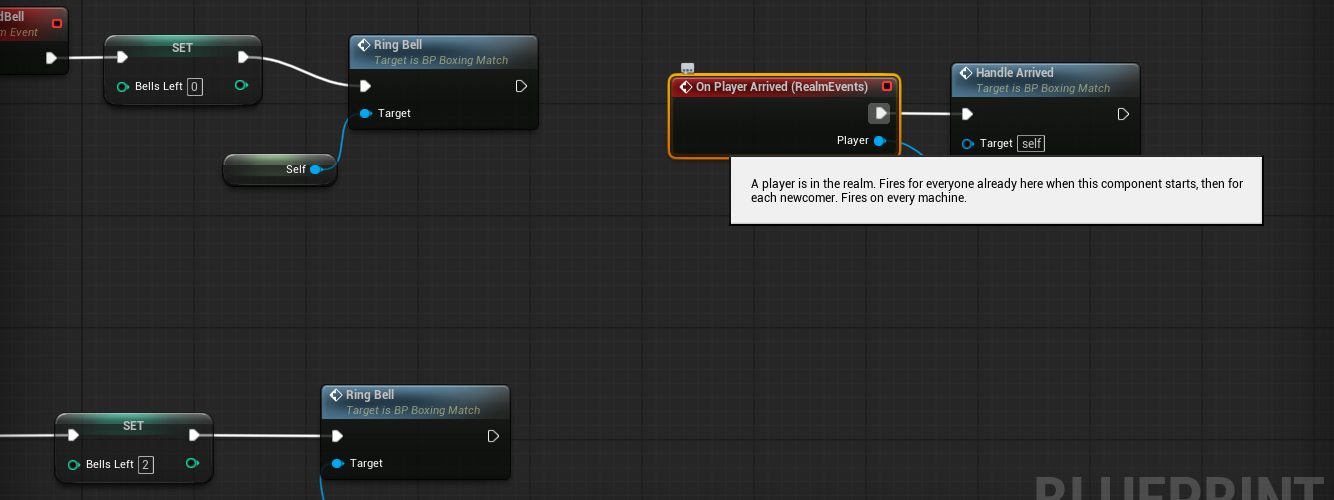
- Add the Realm Events component to any actor in your map.
- Bind On Player Arrived.
- From it: Show Message To Player with a greeting, and Post Chat Line with the rules.
Both are Server nodes, so although the event fires on every machine, only the host’s copy sends anything: one greeting per arrival. On Player Arrived also fires for everyone already present when the map loads, so the host is greeted too.
A button any player can press new
A pressed button is a local input on the presser’s machine. To make it change the world, it has to reach the host.
- On the press: Tell Host with Target = this actor and Event Name =
OpenDoor. - On the same Blueprint, add a Custom Event called
OpenDoor. Give it an input namedSenderof type Pawn if you want to know who pressed it. - Inside
OpenDoor, do the Server work: set a replicated variable, Move Player To, Fire Channel, whatever the door needs.
Sender, Text and Number are the three you can declare on the event, in any combination. Tell Host only reaches custom events on Blueprints in your map, never engine functions, and each player is limited to thirty a second.A chat command new
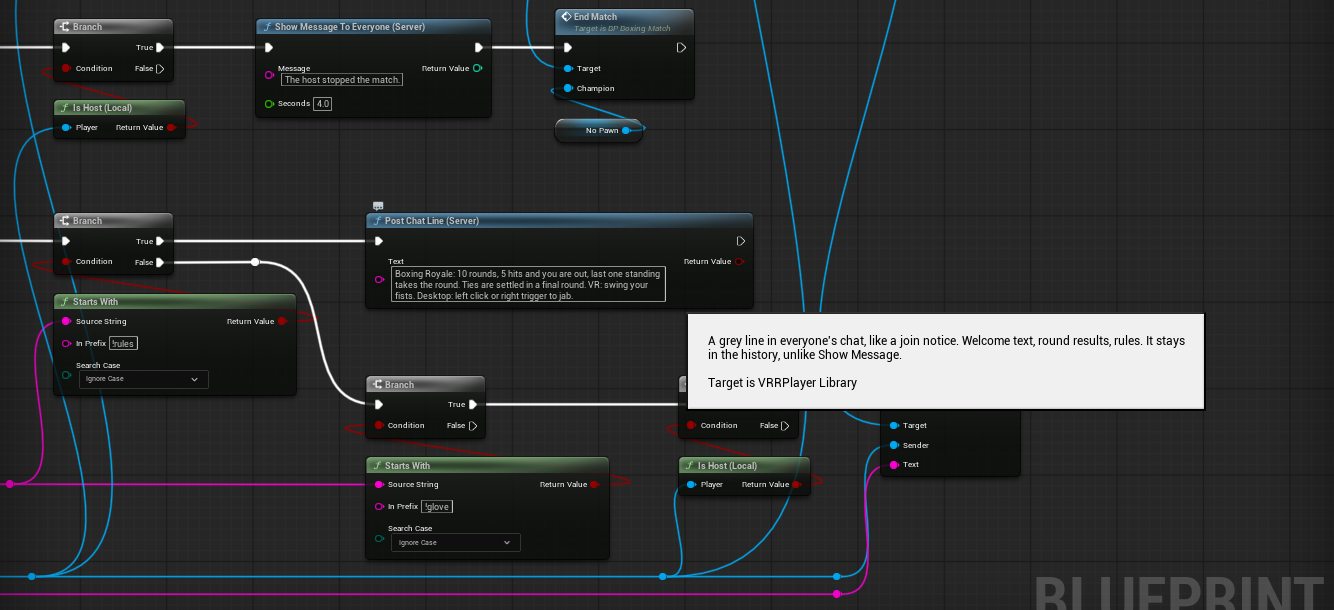
- Realm Events → On Chat Message gives you Sender and Text.
- Branch on Has Authority so only the host acts.
- If Text starts with
!home, Send Player To Spawn for Sender.
Only public chat comes through. Whispers stay private.
Play a video when the round starts new
- Give your TV marker a Link in Details → VR Realms, for example
LobbyScreen. - On Realm Events → On Match Reset (or your own event): Find Item By Link “LobbyScreen”, then Play On Screen with the URL.
Play On Screen is an Anywhere node, so it works from whichever machine calls it. A TV locked with a URL in Details stays locked; that is the creator’s choice winning, and it is deliberate.
Punch with your real hands new
A glove, a sword, a paddle: anything a headset player swings that should count only when it is really swung.
- Spawn the held actor on the host (it is a Blueprint with Replicates ticked) and attach it to Get Player Hand on every machine, from a RepNotify on its owner variable.
- Give it a small sphere that overlaps pawns and blocks nothing: Set Collision Enabled to Query Only, Set Collision Response To All Channels to Ignore, Set Collision Response To Channel Pawn to Overlap. No collision on the mesh. Do not use a stock profile such as
OverlapOnlyPawn: it leaves Visibility at Block, which locks desktop players in crouch and stops the headset laser at the prop. - On the host only (Has Authority), every frame: speed = distance moved since last frame divided by delta seconds, clamped to something sane. Above your threshold, Get Overlapping Actors for Pawns, Which Player on each, skip your own owner, and register the hit.
- Keep a per-victim cooldown of about half a second, so two gloves landing together count once.
The host’s copies of remote hands move with the replicated controllers, so this works for everyone with no networking nodes. The full version, with rounds and a scoreboard, is on the Boxing Royale page.
A click that reaches the host, with the identity built in new
When a client presses something and the host needs to know who, you do not need a Sender input at all.
- Have the host spawn one replicated actor per player and store the player in a replicated variable on it.
- On the press, that actor calls Tell Host with Target = itself.
- The custom event on the host reads its own owner variable. The host received that exact actor, so the identity came with it and cannot be forged.
Play a clip on a player and wait for it to end new
- On the host: Play Animation On Player with the player and an animation sequence. It returns the clip’s length in seconds at your play rate.
- Realm Events → On Player Animation Finished fires on every machine when the clip ends or is replaced. Use it to allow the next swing, close a door, hand back control.
- Is Player Animating answers the question in between.
Any clip authored on a mannequin-style skeleton works: the game maps its bones onto whatever avatar the player wears. On a headset the arms keep following the real hands, so use it for legs, spine and full-body emotes there, and for the whole body on desktop.
React to a button without setting up input new
- Add Realm Events to your actor and bind On Player Action. It hands you the player, the action name and whether it was pressed or released.
- Check the name:
Fireis the left mouse button, the right gamepad trigger and the right trigger on a headset.Jump,Crouch,Interact,Menu,Graband the rest are listed on the Nodes page. - It fires only on the machine of the player who pressed, because input never leaves a machine. To change the world from it, call Tell Host.
Is Action Held answers whether a button is down right now, again only for the player at this machine.
Rounds on a heartbeat new
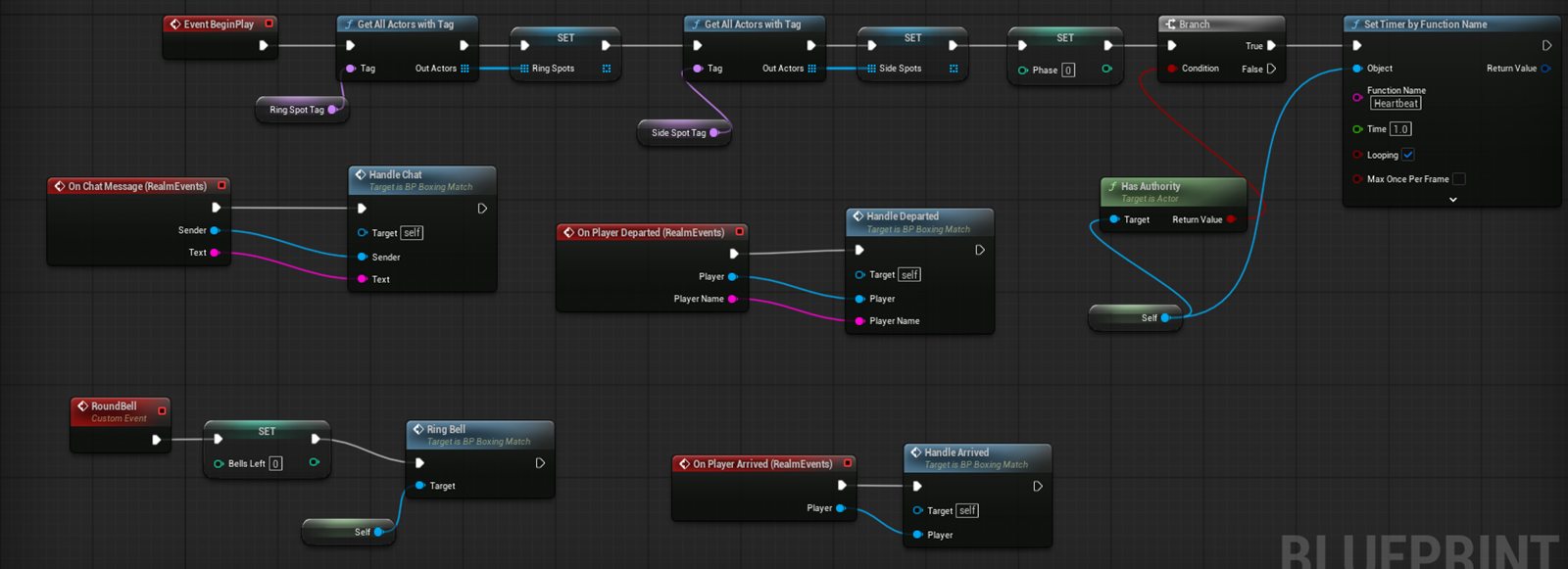
- On Begin Play, behind Has Authority, Set Timer by Function Name on a
Heartbeatfunction, looping every second. - Keep the phase in an integer: lobby, countdown, fighting, intermission, finished. Heartbeat switches on it.
- Lobby: when the length of Get Players In Realm reaches your minimum, start a countdown and Show Message To Everyone the seconds left. Fighting: end the round on a time limit or when one player remains. Intermission: start the next round when its timer is up.
One timer, one switch, and every phase change is a single variable write. The manager in the boxing game is exactly this.
A remote control car or a boat next update
The driver’s sticks are on the driver’s machine, and the car has to move on the host so everyone sees it. Start Controlling joins the two: while a player is controlling, the host can read their input directly.
- Make the car a replicated actor with Replicate Movement on, and give it a trigger volume where the driver stands.
- On the host, when a player overlaps that volume: store them in a Driver variable and call Start Controlling on them. Leave Movement Only off for a remote control car. Turn it on if they must keep holding something, like a fishing rod.
- In the car’s Tick, only where it has authority and Driver is valid: read Get Input Axis with
Move. Y is the throttle and X is the steering. For an analog throttle read Get Action Amount withFireinstead. - Add Realm Input Events to the car and bind On Control Action: when the action is
Action1and Pressed is true, sound the horn. - Bind On Player Controlling Changed: when Controlling is false and the player is your Driver, stop the car and clear Driver. This is where you hear that they pressed Menu or left.
- For the sign beside it, build the text on each player’s own machine with Get Action Label for
Move,Action1andMenu. A headset player reads Left stick, a keyboard player reads W A S D.
A boat is the same graph with different physics. A bump you can feel is one more node: Vibrate Controller on the Driver when the car hits something.
Tap, hold and double tap next update
- Add Realm Input Events to your actor. Set Hold Seconds and Double Tap Seconds in its Details if the defaults do not suit you.
- Bind On Player Action Hold for a charge, On Player Action Tap for a quick press and On Player Action Double Tap for a dash. Each hands you the action name, so check it is the one you want.
- They fire on the machine of the player who pressed, like On Player Action. To change the world from them, finish with Tell Host.
Attach something to a hand
A lantern, sparks, a wrist watch, a held tool.
- Spawn or place your actor.
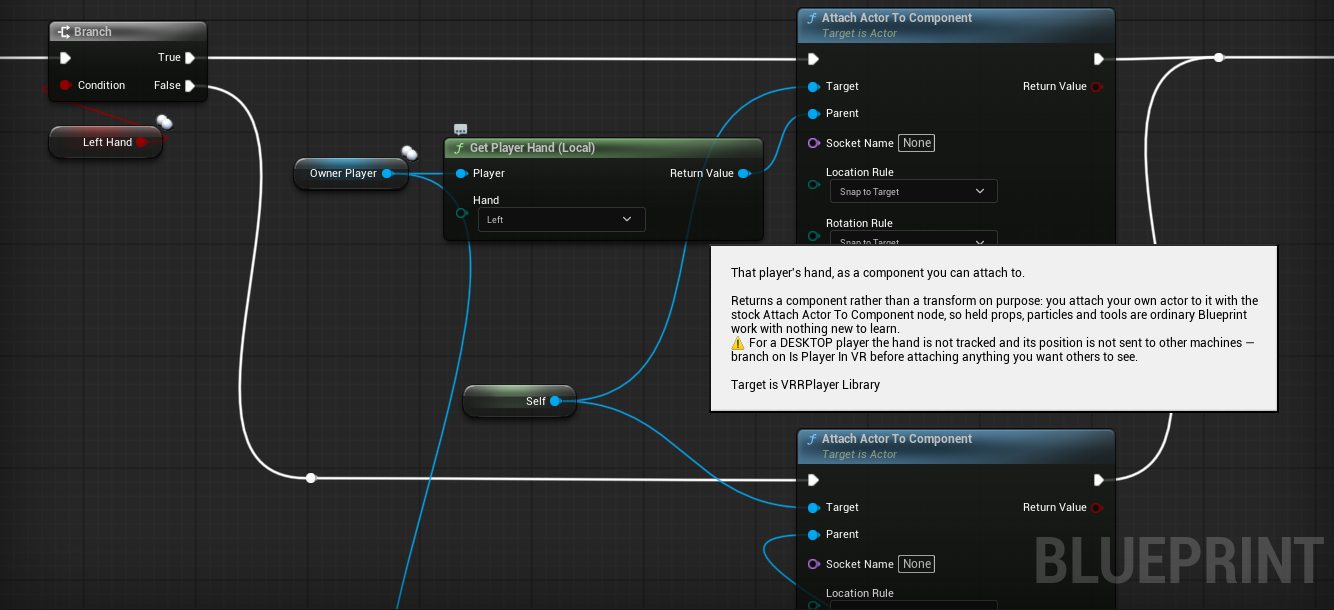
- Get Local Player → Get Player Hand (Left or Right).
- Feed that into Attach Actor To Component.
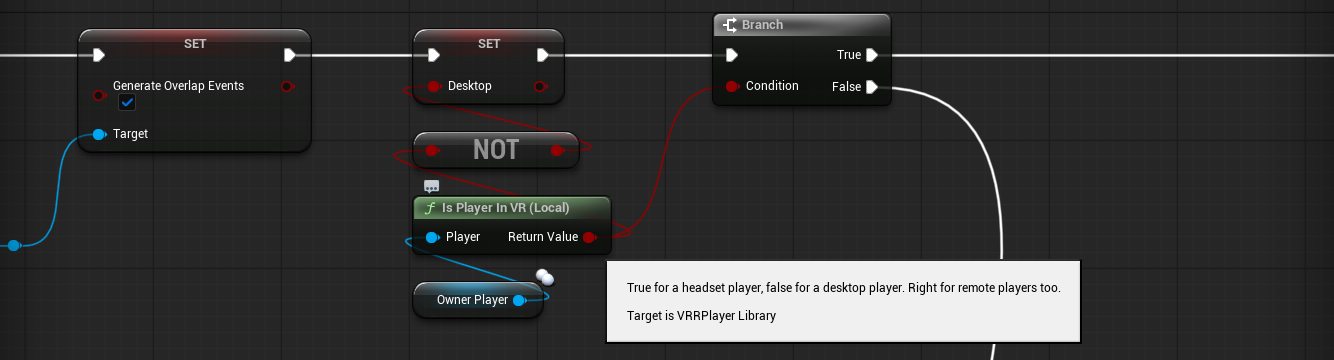
Is Player In VR first. A desktop player’s hand component is not sent to other machines. To put something in a desktop hand anyway, attach to the body instead: Get Components By Class (Skeletal Mesh Component) on the pawn, keep the one with a hand_r socket and the most bones, then Attach Actor To Component with socket hand_l or hand_r. It follows the animated hand on every machine. Otherwise attach to the head or skip the effect.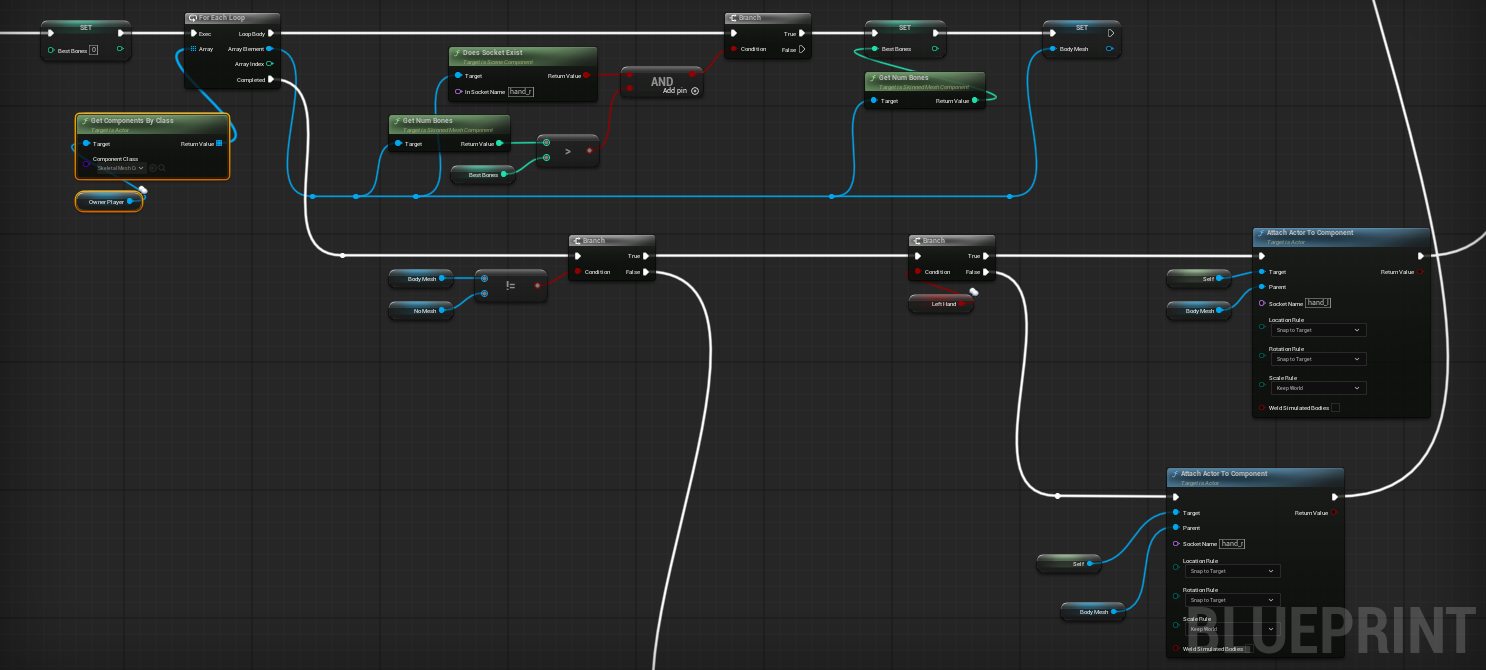
A drivable vehicle
Just want a car? Drag BP_VRItemMarker and pick Car. You get a working drivable car with no Blueprints. Tag VRItem.Car does the same.
Custom vehicle:
- Build a Chaos wheeled vehicle and let Unreal handle the physics.
- Add a Scene Component where the driver’s head should be (seat), and one outside the door (exit).
- On get-in: Seat Player with the seat component (server event).
- On get-out: Unseat Player with the exit component.
Those two nodes put the head at the seat, carry them with the car, recalibrate height on exit, and replicate it.
Base Eye Height is not a VR head.Your own car checklist
- Model front pointing +X; body + four wheels separate; one skeletal mesh.
- Physics asset: spheres on the wheels, convex hull on the body.
- Enable Chaos Vehicles; Blueprint parented to VRWheeledVehicle.
- Map wheels by bone name (fronts first); wheel Blueprints parented to ChaosVehicleWheel.
- Animation Blueprint + Wheel Controller For Wheeled Vehicle.
- Torque curve; seat + exit Scene Components; Seat/Unseat.
A monster that hunts you
Don’t tick Get Local Player every frame, because each machine ends up chasing a different person. Instead:
- Chase on the server. One brain, and everyone sees the same monster.
- Find targets with Get Players In Realm, and pick the closest with Get Player Location.
- Move with normal AI or interpolation, since movement replicates.
- Use Get Player Head only for local flourishes (heartbeat, whisper).
What’s deliberately missing
The player character itself, avatar and movement internals, and low-level grab physics, so maps do not break when those change. Also anything that belongs to the player rather than the map: who they can hear, kicking, forcing an avatar or a trip to another map onto someone. Need a node? Discord #workshop-support.