Scripting API
Build a game: Boxing Royale
A round-based boxing game built with nothing but the Creator Kit: gloves on every player, five hits and you are out, ten rounds, a final round if the top is tied, a bell, a scoreboard. Two Blueprints do all of it. This page walks through how each rule became nodes, so you can borrow the shape for your own game.
The rules
- Everyone starts in the ring wearing gloves.
- Five hits and you are out. Out means teleported outside the ropes, where you can still watch.
- The last fighter standing takes the round. Ten rounds, one point per round win.
- After ten rounds the highest score wins. If the top is tied, the tied players fight one final round alone.
- The bell rings at the start of every round.
- Headset players punch with their real hands. Desktop players click to jab.
Two Blueprints
| Blueprint | What it is |
|---|---|
| BP_BoxingMatch | Placed once in the level, at the ring centre. Ticked Replicates. Carries a Realm Events component. Runs the rounds, the hits, the scores, the messages and the chat commands. |
| BP_BoxingGlove | Spawned twice per player by the manager, one per hand. Ticked Replicates. A glove mesh with no collision, plus a 16 cm sphere that overlaps pawns and blocks nothing (see the gotchas below). Detects punches and plays the desktop jab. |
Around them: four Blocking Volumes at the ropes so nobody outside can climb in, eight Target Points on the canvas tagged BoxRing facing the centre, twelve on the plaza tagged BoxSide facing the ring, an Item Marker with Match role set to Scoreboard, and a bell Sound Cue. Spots are ordinary actors with an actor tag, so anyone can drag them around or add more without opening a graph.
Gloves on every player
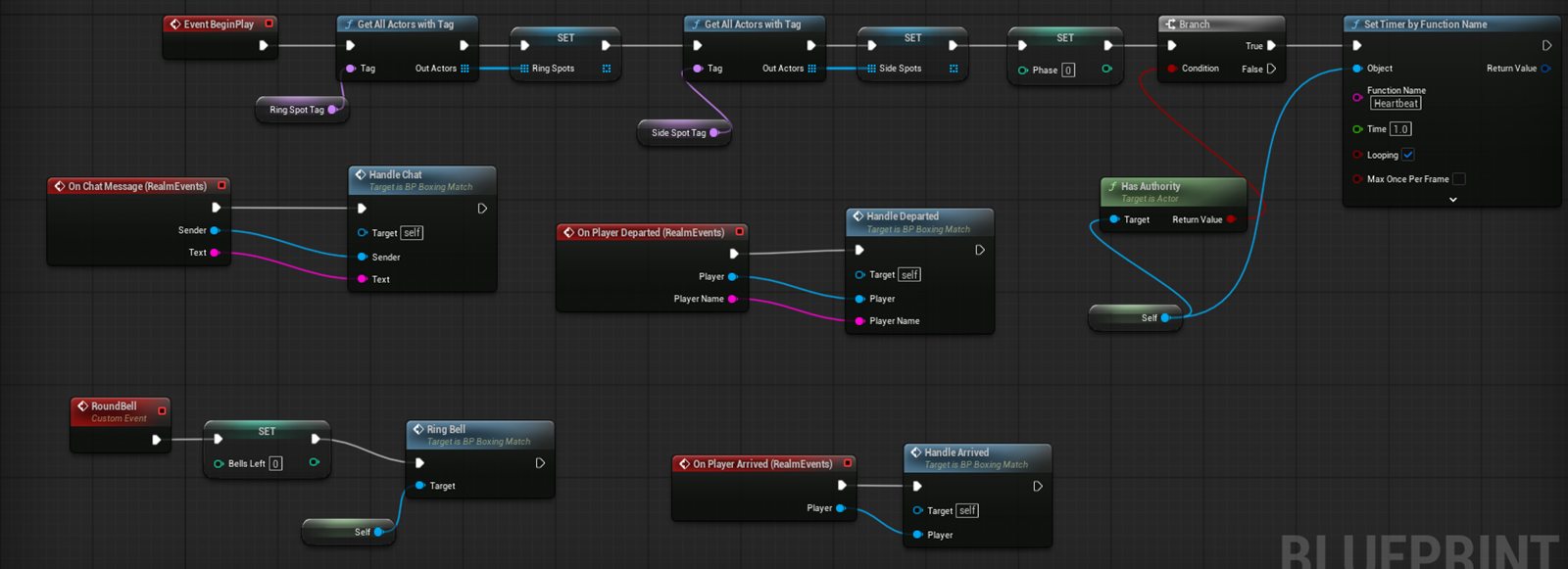
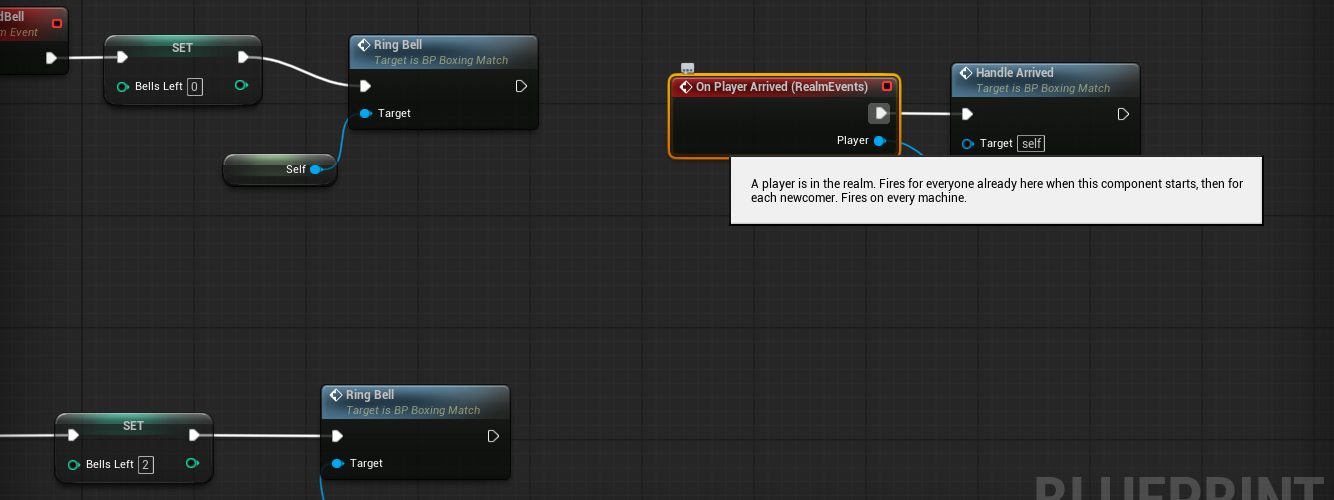
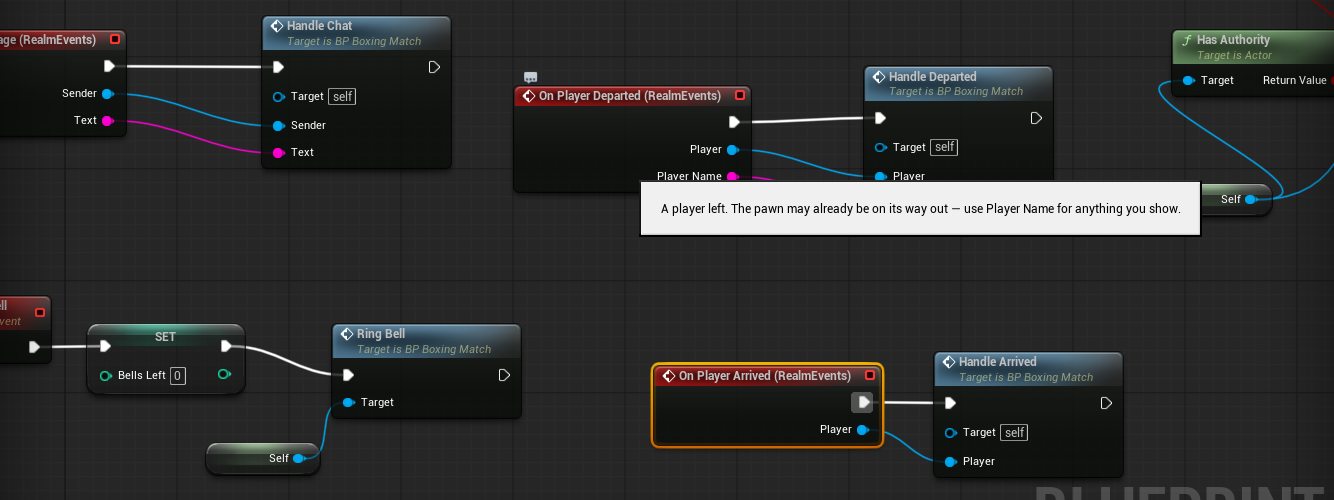
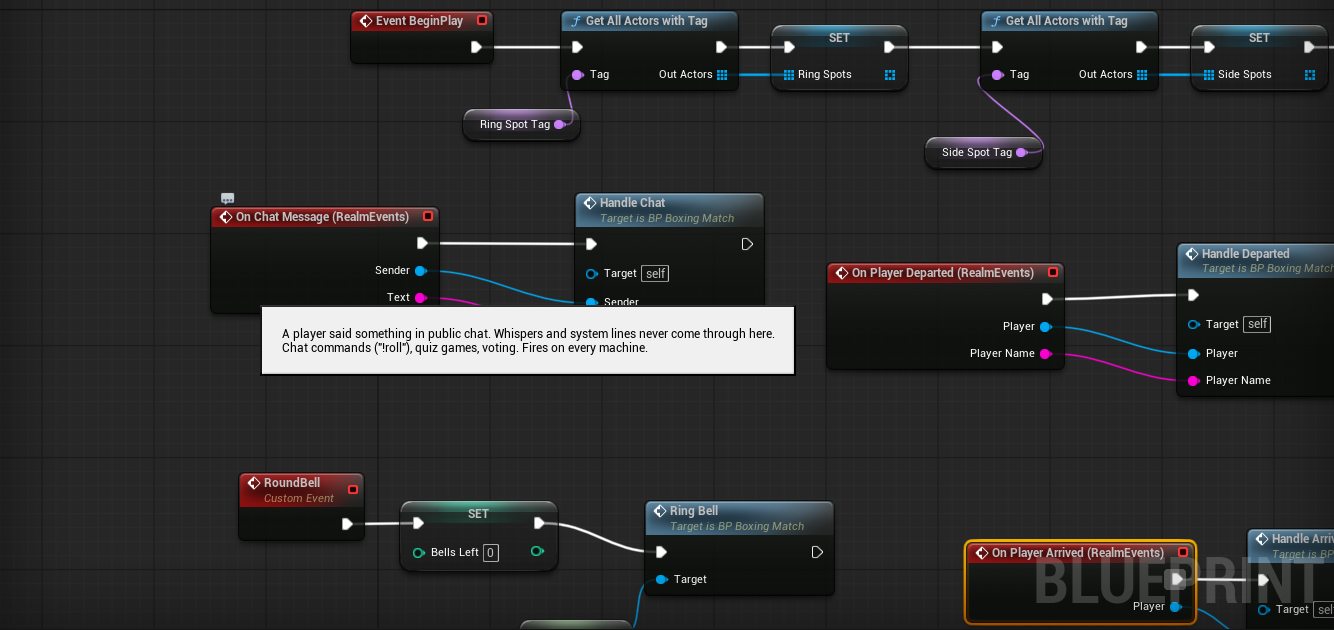
- Realm Events → On Player Arrived. It fires on every machine and replays for everyone already present, so the manager branches on Has Authority and only the host continues.
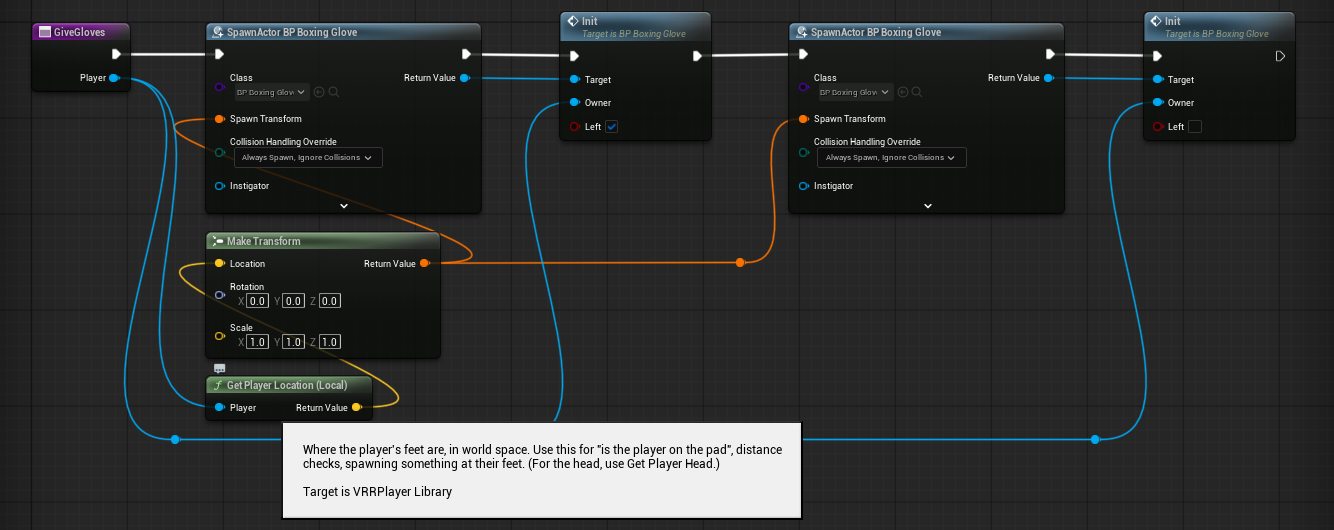
- The host spawns two
BP_BoxingGloveactors at Get Player Location and calls theirInitfunction with the player and a left or right flag.Initstores them in two replicated variables; the owner one is a RepNotify. - When a glove reaches another machine,
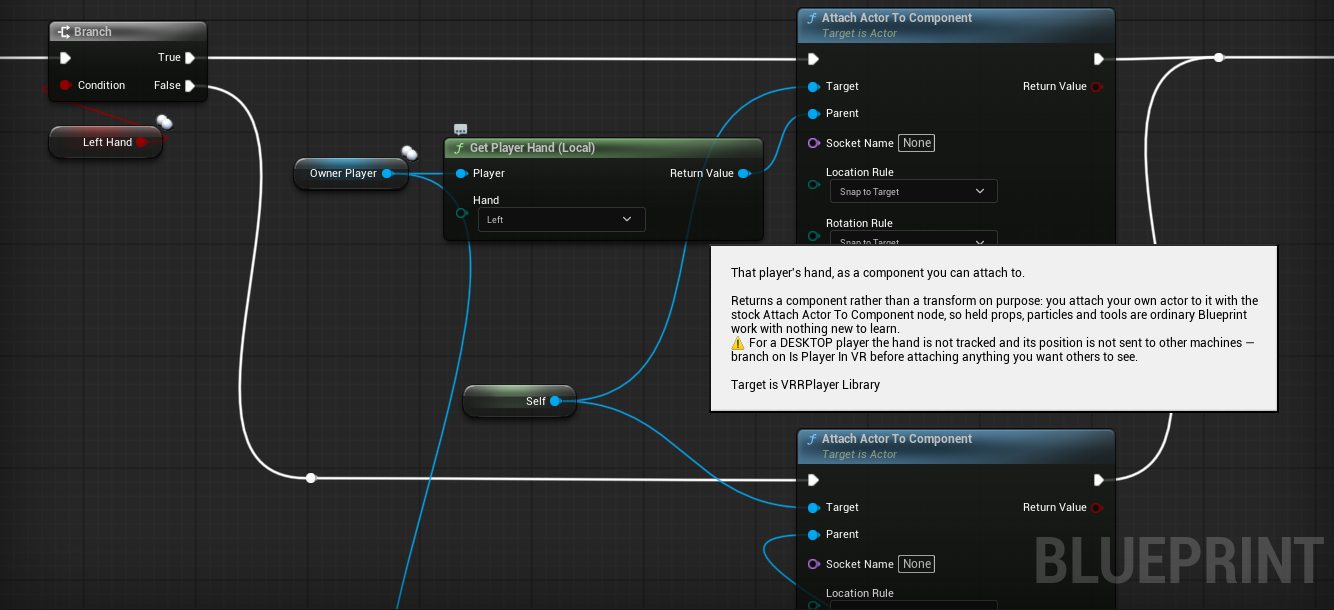
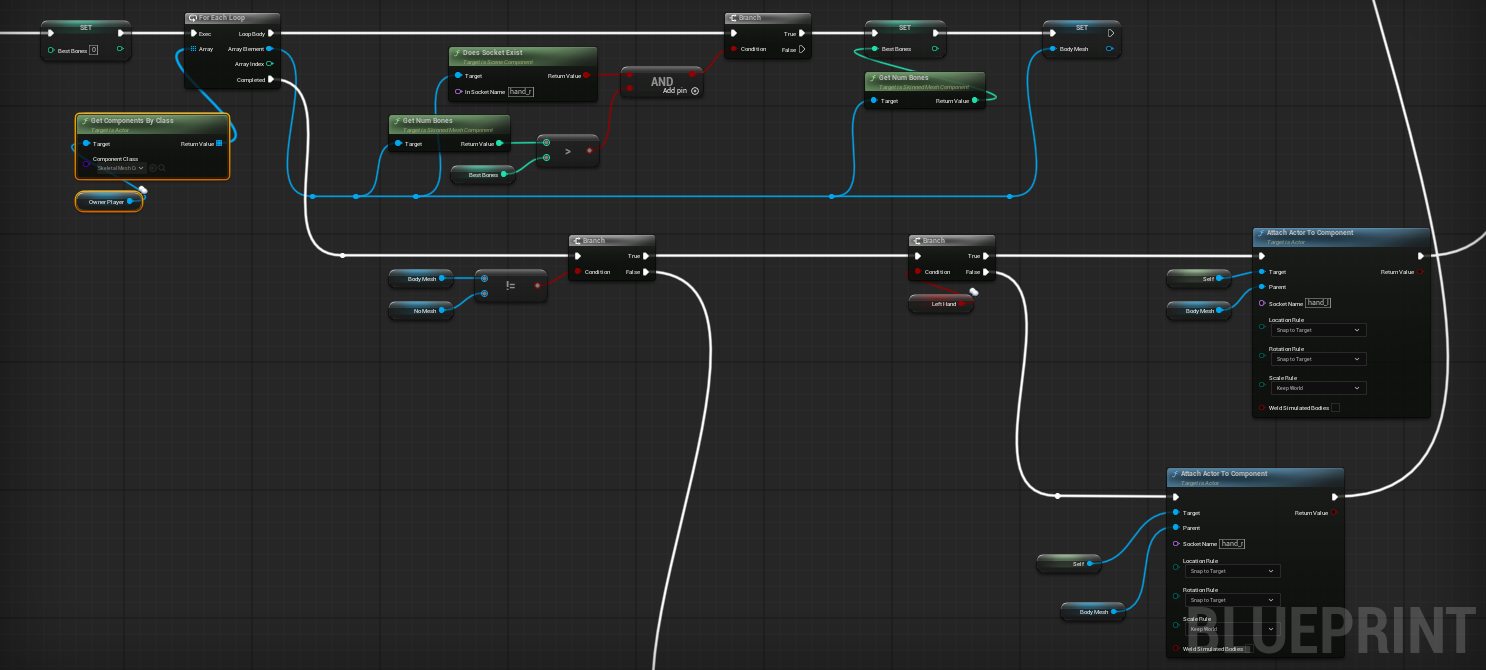
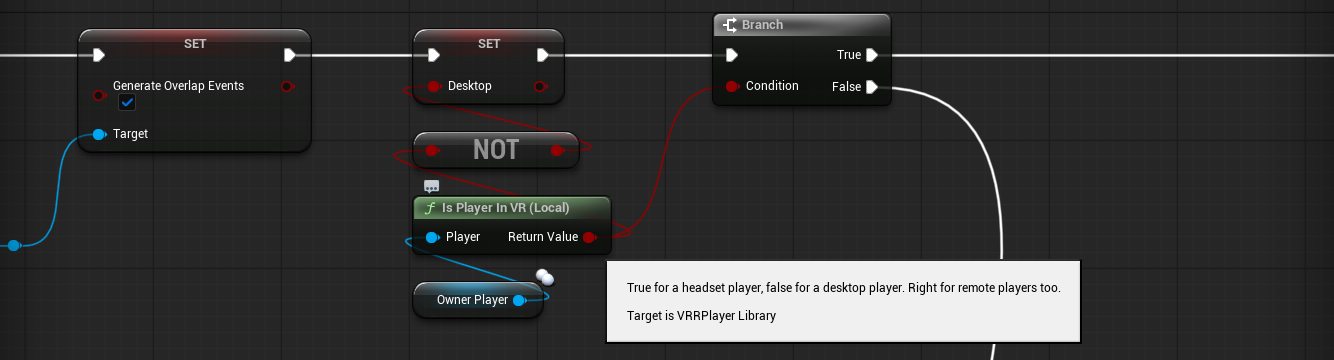
OnRep_OwnerPlayerrunsSetup, andSetupattaches the glove locally. A headset player: Get Player Hand for that side, then Attach Actor To Component with Snap To Target. A desktop player has no tracked hand, so the glove goes on the body’s hand bone: Get Components By Class (Skeletal Mesh Component) on the pawn, keep the one that has ahand_rsocket and the most bones (that is the body, not a hand-only mesh), then Attach Actor To Component with sockethand_lorhand_r, Snap To Target. The gloves follow the animated hands, so the jab clip carries them forward. If no such mesh exists the fallback is Attach Actor To Actor on the pawn with a fixed offset. Setupalso sets the collision by hand (Query Only, ignore every channel, overlap Pawn), mirrors the left glove with a negative Y scale, and turns on overlap events for the sphere.
Every machine attaches every glove for itself, so a remote headset player’s glove tracks the host’s copy of their hand as well as their own. When a player leaves, the owner reference on their gloves empties; the glove notices on the host and destroys itself, which replicates.
Detecting a punch
Only the host decides. Every frame, on the host, the glove:
- Measures its own speed from the distance it moved since the last frame, clamped at 15 m/s so a teleport or a snap turn cannot count as a punch.
- If the speed is above
PunchSpeed(300 cm/s by default), asks Get Overlapping Actors for Pawns. - Turns each one into a player with Which Player, skips its own owner, and calls the manager’s
RegisterPunchwith the puncher, the victim and the speed.
RegisterPunch ignores anything outside the fighting phase, anyone who is not a fighter this round, and a second hit on the same victim within 0.6 seconds, which is what stops both gloves counting one punch twice. A slow touch does nothing. A glove resting against someone does nothing. A real swing lands. Because the host’s copies of everyone’s hands move with the replicated controllers, remote headset players work with no extra networking.
Rounds, scores, messages
The manager is a small state machine driven by a one-second timer on the host: Set Timer by Function Name on a Heartbeat function, started from Begin Play behind a Has Authority branch. Phases: lobby, countdown, fighting, intermission, finished, kept in an integer.
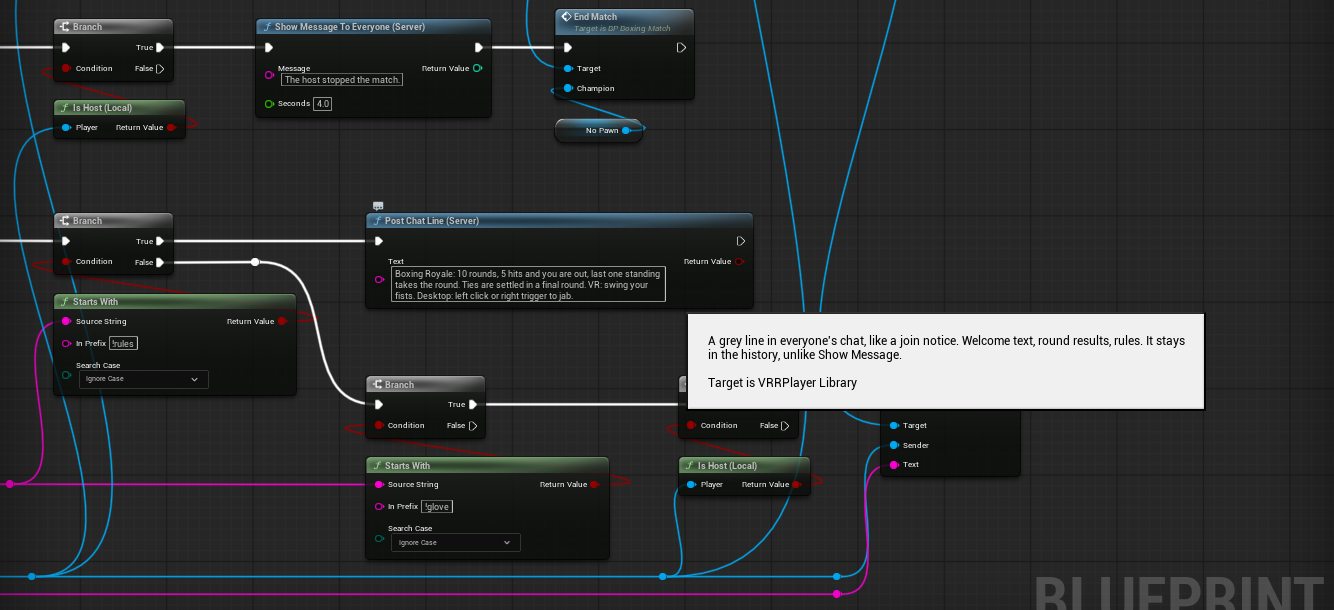
- Lobby and countdown. With two or more players (the length of Get Players In Realm), a 20 second countdown starts and Show Message To Everyone counts it down. The host can type
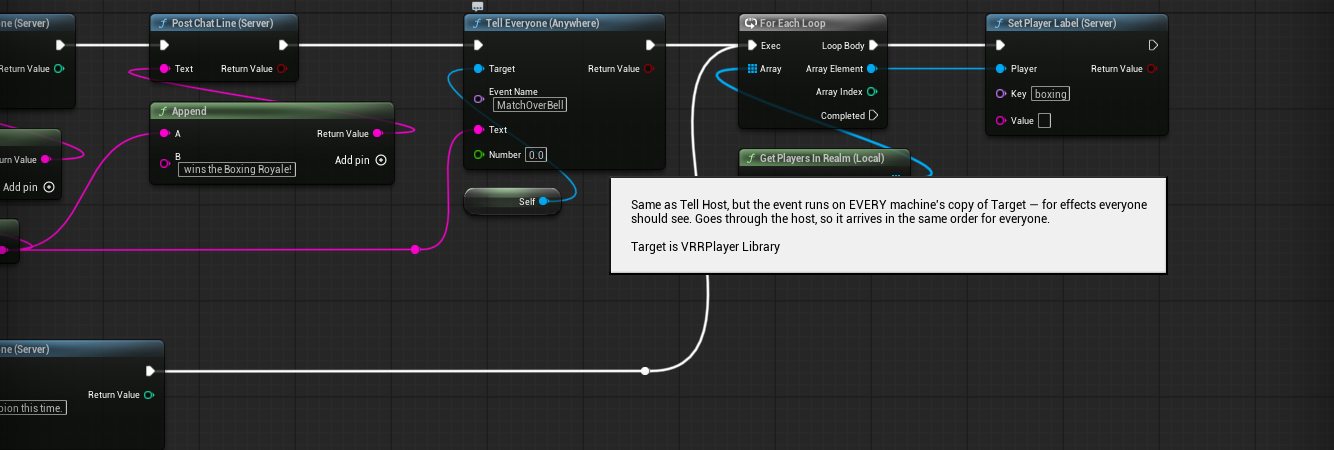
!startto skip it,!stopto end a match,!rulesto post the rules. Chat arrives through Realm Events → On Chat Message; the manager checks Has Authority and Is Host on the sender. - Round start. At the start of a match every player gets Set Player Points 0. Each round the fighters are everyone in the realm, or only the tied leaders in a final round. Each fighter gets Set Player Label
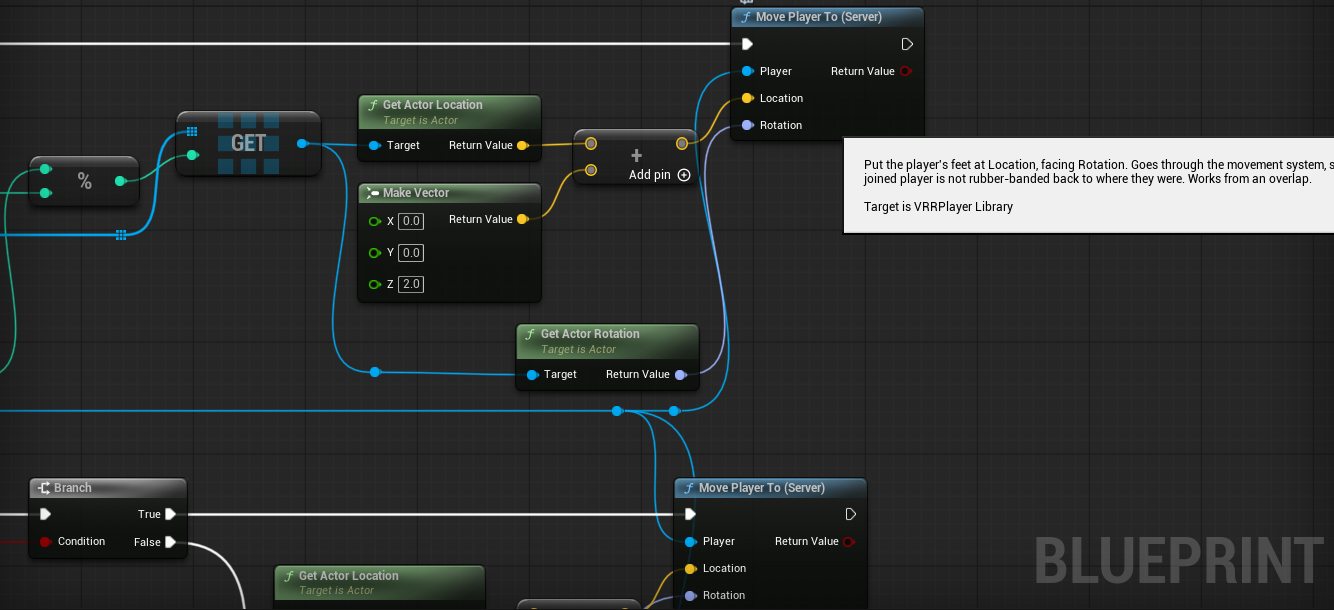
boxing = inand is moved to a ring spot with Move Player To; everyone else getswatchingand a side spot. Then Tell Everyone on the manager with the event nameRoundBell, and every machine’s copy plays the bell at the ring with Play Sound at Location. The round title goes out with Show Message To Everyone and Post Chat Line. - Hits. Hits live in an integer array that lines up with the fighters array. The victim sees “HIT! Hits left: 3” and the puncher sees who they hit, both with Show Message To Player.
- Knockout. At five, the victim is moved to a side spot, labelled
out, told so, and a chat line names who knocked out whom. If one or zero fighters remain, the round ends. - Round end. The winner is the standing fighter with the fewest hits and gets Add Player Points 1. A 120 second limit ends the round on time; if two standing fighters share the lowest hit count, it is a draw and nobody scores. The Scoreboard marker shows the points on its own, because the map has no built-in game mode.
- After ten rounds. The highest total wins. If more than one player shares it, the manager stores the leaders, flags a final round, and only they are moved into the ring. A drawn final is repeated. The champion is announced with an 8 second message, a chat line and three bells, and twenty seconds later the lobby reopens.
Late joiners are handled in the same On Player Arrived branch: during a fight the newcomer is labelled watching, moved to a side spot and told they are in from the next round. Leavers are handled by the heartbeat, which marks a fighter whose pawn is gone as out, so a round cannot hang on someone who quit.

The desktop jab
Desktop players have no tracked hands, so a click has to become a punch, and the click happens on the presser’s machine while the punch has to be judged by the host.
- On the press, the right glove of the local desktop player calls Tell Host with Target = itself and Event Name =
Jab. The glove is a replicated actor, so the host receives that exact glove and therefore knows the player. No event inputs needed. - The
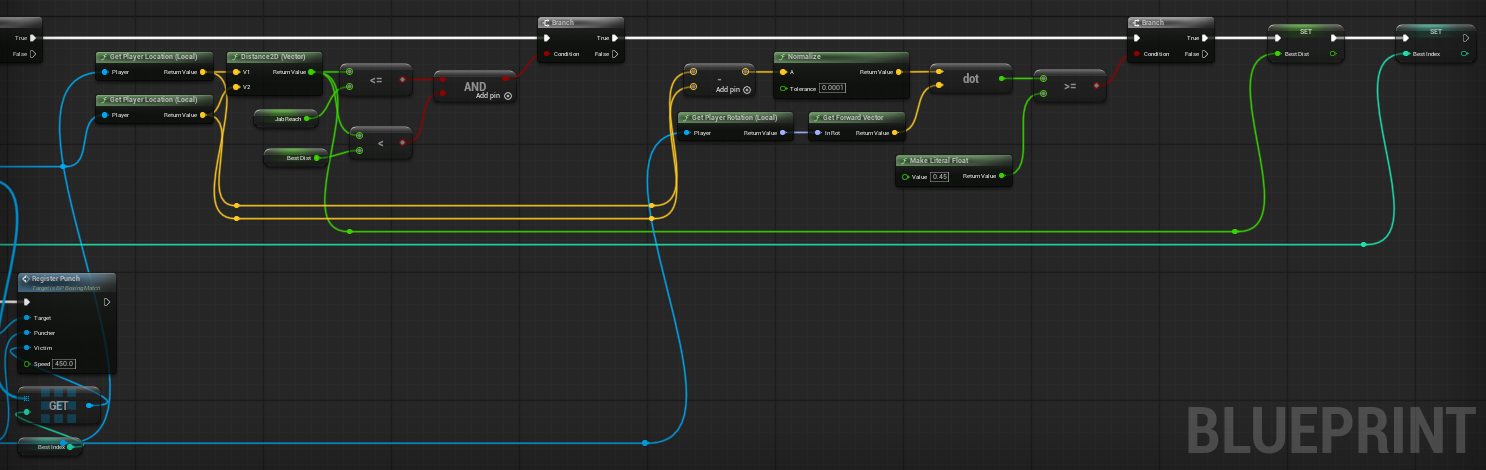
Jabcustom event on the host increments a RepNotify counter, and the OnRep starts a short jab animation of the glove mesh on every machine. Then it looks at the owner’s Get Player Location and Get Player Rotation, finds the nearest fighter within 170 cm inside a cone in front, and callsRegisterPunch. - The next click is only accepted after the jab finishes, which is the “the animation must complete before you punch again” rule.
With the current kit the press comes from Realm Events → On Player Action new for Fire, which is the left mouse button, the right gamepad trigger and the right trigger on a headset, so no input setup is needed on the glove. And the host plays the real jab clip on the player’s avatar with Play Animation On Player new, then accepts the next punch when On Player Animation Finished arrives.
Publish and test
- Open the publish panel, pick the map, give it a name, Build. The build moves the map and everything it references into the Community folder. Tell Host and Tell Everyone only reach custom events on Blueprints that live there, so this step is not optional.
- Upload, subscribe, host the map with at least two players.
- Check, in this order: gloves on both hands of every player including remote ones; a firm jab shows HIT and a slow touch does not (tune
PunchSpeedon the glove, lower is more forgiving); the bell plays for everyone; a knocked-out player lands outside the ropes and cannot get back in; a desktop click jabs; a desktop player can crouch and stand back up with gloves on; a headset player’s laser reaches the menu with gloves on; the scoreboard shows one point per round; the champion banner after ten rounds; only the leaders re-enter on a tie.
Every number is a variable on the placed manager or the glove: rounds, hits to knock out, minimum players, round seconds, countdown, intermission, lobby seconds, hit cooldown, the spot tags, the bell, the punch speed, the jab timing and reach.
Gotchas, mostly collision
The first playtest went well: rounds, knockouts, scoreboard and champion all behaved, and the desktop jab clip played on every screen. Three things were wrong, and two of them had one cause. Each one is a rule now.
A stock overlap profile can block your traces
The glove sphere first used the engine profile OverlapOnlyPawn. The name reads as harmless. The engine defines it as “overlap Pawn and Vehicle, ignore Camera, every other channel at its default”, and the default response is Block. So the sphere blocked Visibility traces, and two bugs followed that looked unrelated:
- Desktop players were stuck crouched. The desktop pawn checks for headroom with a Visibility capsule trace before it stands up. The trace hit the glove attached to that same pawn and the pawn never stood.
- The headset laser stopped at the glove. The laser pointer is a Visibility line trace from the hand. It ended a few centimetres out, on the sphere, so the menu was hard to use.
Punches kept working, because the Pawn overlap was right, which is why nothing in the logs looked wrong. The fix is three nodes in Setup, and it is the rule for any prop attached to a player: Set Collision Enabled to Query Only, Set Collision Response To All Channels to Ignore, then Set Collision Response To Channel Pawn to Overlap. The mesh stays on NoCollision. Do not pick a stock profile by name for anything a player wears; set the responses yourself so you know what every channel does.
Overlap needs both sides, but only the host needs to read it
Generate Overlap Events must be on for the sphere, and the sphere must respond to the Pawn object type, because the player capsule is a Pawn. The punch is judged on the host only, so the sphere only ever has to overlap anywhere; it never needs to block, and a Query Only body costs nothing. Never give a worn prop a physics body: a simulated body attached to a pawn drags the pawn around.
The floor under a headset
A headset player stands on whatever the floor trace hits, and that trace wants the WorldStatic object type. A ring canvas imported as a Fab mesh may come in with a different type, or with a simple collision box thicker than the mat so players float above it. Set the object type to WorldStatic on the mesh, and if the mat is a thin shape over a thick box, set the static mesh’s collision complexity to Use Complex Collision As Simple.
Tune placement in chat, not in the editor
The gloves sat wrong at first: sideways on a headset hand, floating beside the hips on desktop. Guessing a rotation, building the pak and uploading it costs about three minutes per attempt. So the manager got a set of replicated tune variables and a host-only chat command in its HandleChat function; every glove checks a version number four times a second and reapplies its rotation, offset and scale with Set Actor Relative Rotation and Set Actor Relative Location. The parser is Parse Into Array on a space, String To Float on the pieces and a Make Rotator.
| Command (host only) | What it does |
|---|---|
!glove show | Prints the current numbers into chat |
!glove rot P Y R | Rotation of the headset gloves, pitch yaw roll in degrees |
!glove pos X Y Z | Offset of the headset gloves in centimetres |
!glove pc rot P Y R / !glove pc rotl P Y R | Rotation of the desktop right / left glove |
!glove pc pos X Y Z | Offset of the desktop gloves |
!glove pc mirror 0/1 | Mirror the desktop left glove |
!glove scale S | Mesh scale (0.02 for this glove) |
!glove hide / !glove on | Remove or restore every glove at once |
When it looks right, the numbers from !glove show go into the manager’s defaults and the map is rebuilt once. The pattern fits any creator game: replicated variables on a placed manager, a !command parser behind Has Authority and Is Host in On Chat Message, and the actors that care polling a version number. !glove hide doubles as a diagnostic: if a bug goes away with the gloves gone, the gloves caused it.
Things we learned
- Has Authority on a placed, replicated actor is the host gate. Get Local Player is empty on a server, and a non-replicated placed actor has authority everywhere.
- Overlap on the host is the whole networking model. The glove sphere, Which Player and Server nodes: nothing else was needed for headset punches.
- Points and labels are your shared state. A placed Scoreboard marker shows the points, and any Blueprint on any machine can read a label to know who is
in,outorwatching. - Keep per-round data in arrays that line up. A fighters array, a hits array and a last-hit-time array, all indexed the same way, is easier to reason about in a graph than a map.
- Announce with two nodes. Show Message for the moment, Post Chat Line for the record. Players read the chat later to see who knocked out whom.
- Test the two things a prop can break. Crouch and stand up on desktop, point the laser at the menu on a headset. If either fails, look at the prop’s collision before anything else.
The nodes it uses
| Node or event | Where |
|---|---|
| On Player Arrived, On Player Departed, On Chat Message | Manager, Realm Events component |
| Get Players In Realm, Is Host, Get Player Name | Round setup, chat commands, messages |
| Get Player Location, Get Player Rotation | Glove spawn point, desktop jab cone |
| Get Player Hand, Is Player In VR, Is My Player | Glove attach, desktop-only input |
| Which Player | Every overlap the glove sees |
| Move Player To | Ring spots, side spots, knockouts, late joiners |
| Show Message To Player, Show Message To Everyone, Post Chat Line | Hits, rounds, results, rules |
| Add Player Points, Set Player Points, Get Player Points | Round wins, match result, the tie check |
| Set Player Label | boxing = in, out, watching |
| Tell Everyone | The bell, the champion bells |
| Tell Host | The desktop click, on the glove |
| On Player Action, Play Animation On Player, On Player Animation Finished new | The desktop jab |
| Set Collision Enabled, Set Collision Response To All Channels, Set Collision Response To Channel | The glove sphere, in Setup |
| Get Components By Class, Does Socket Exist, Get Num Bones, Attach Actor To Component | Desktop gloves on the hand bones |
| Parse Into Array, String To Float, Set Actor Relative Rotation, Set Actor Relative Location | The !glove tuning commands |