The Creator Kit
The Creator Kit
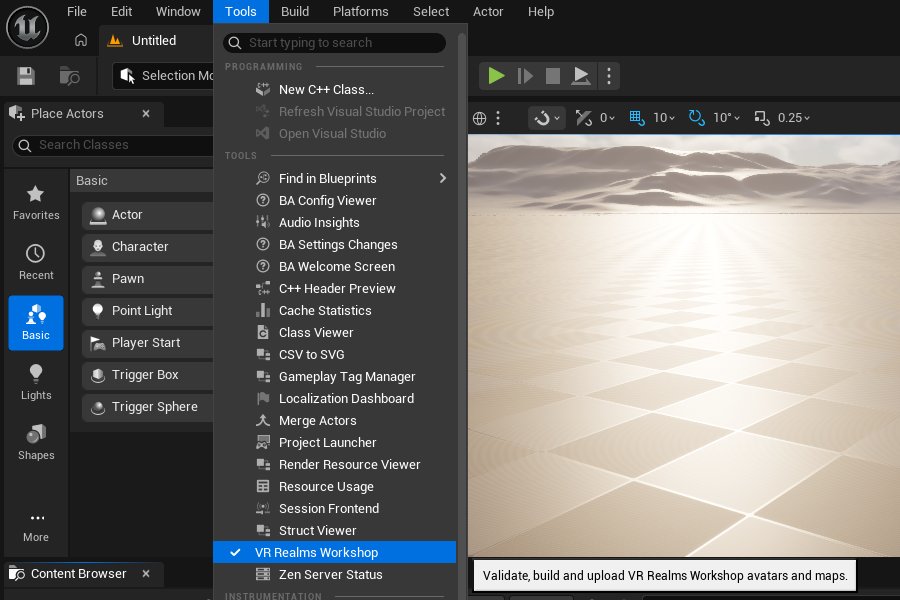
Trimmed Unreal 5.8 project with Workshop publishing built into the editor, under Tools → VR Realms Workshop.
The Creator Kit app
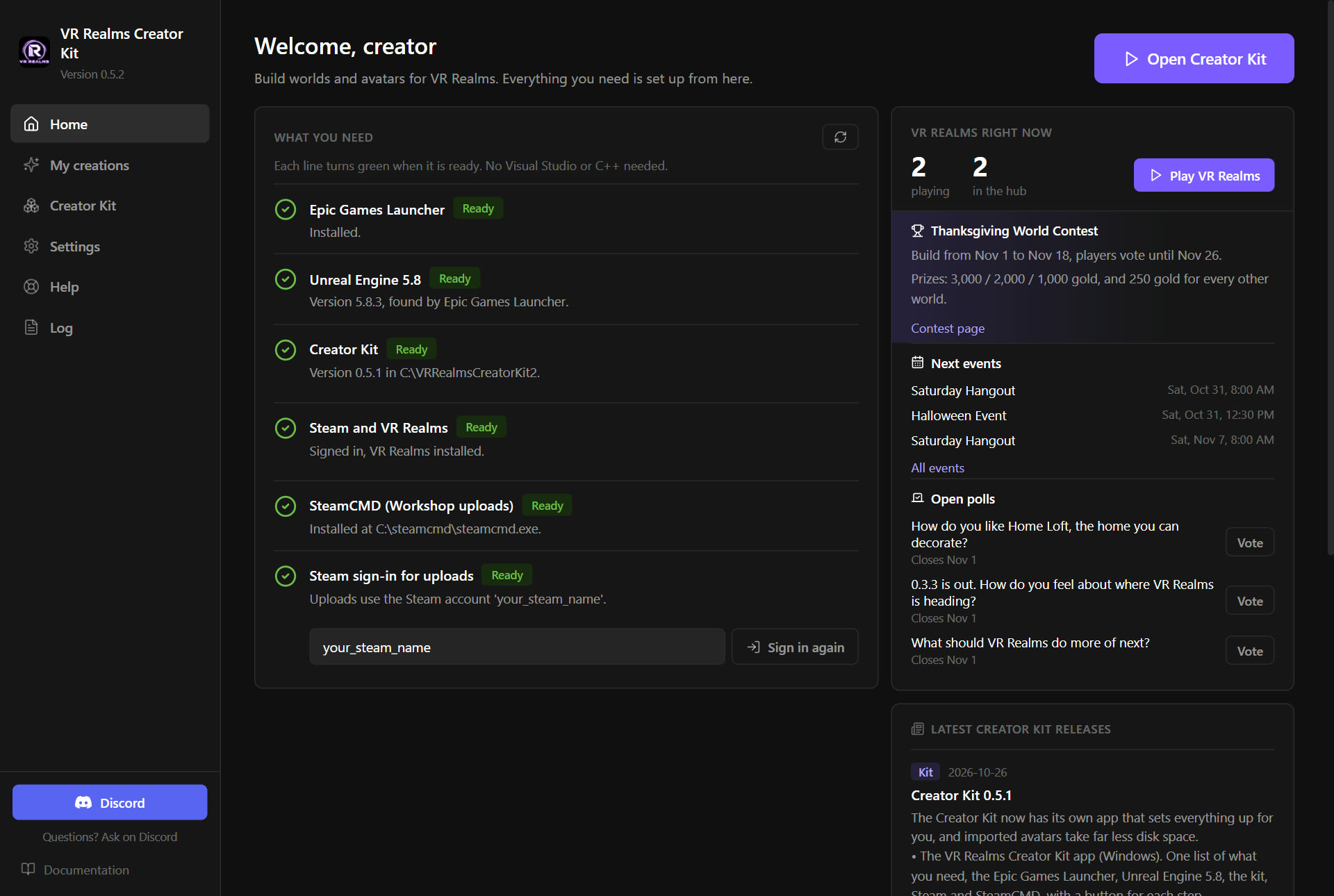
The download above is a small Windows app that sets everything up for you. It checks for the Epic Games Launcher, Unreal Engine 5.8 and Steam with a button for each step, installs the kit into a folder you pick, keeps it up to date and opens it in the editor. It never asks for your Steam password: the kit uploads through your own Steam app.
Get it on Steam
If you have VR Realms on Steam, you have the app too, free, and Steam keeps it up to date. Steam lists it under Tools, not under Games, so it does not show in your games list:
- Open Steam and go to your Library.
- Open the filter dropdown at the top of the list (it says Games) and pick Tools.
- Find VR Realms Creator Kit in the list.
- Press Install, then Launch.
Install with Steam Source code
Windows 10 or 11, 64-bit. The download above (from GitHub) is not code-signed yet, so Windows may say “Windows protected your PC”: choose More info, then Run anyway. Installed through Steam, it starts without that question.
How the app checks and updates everything
The app watches over your whole setup, so you do not have to.
- What you need. A checklist in steps: the Epic Games Launcher, Unreal Engine 5.8, and Steam with VR Realms installed. Each step has its own button. The app runs a download only when Windows confirms it is signed by Epic Games or Valve. It finds Unreal Engine 5.8 through the Epic launcher's own list.
- Install the kit. Pick a folder and the app installs the kit there. You can also add a kit folder you already have, or let it find the kits on your PC.
- Kit updates that keep your changes. The app reads the newest kit release and offers it by itself. It makes a backup folder first. Then it compares every file with the release's file list: a file you changed is kept, your
Communityfolder is never touched, new files are added and nothing is deleted. If a write fails, it is undone. It waits while Unreal Editor is open. - Verify and Repair. Verify checks every kit file against the release. Repair puts back any file that is missing or damaged.
- The app updates itself. A copy you installed from GitHub updates itself. When both have news, one button updates the kit first, then the app. The Steam copy is kept up to date by Steam.
- News, Help and Log. News shows the newest kit releases. The Log lists everything the app did, which helps when you ask for help in Discord.
See your creations
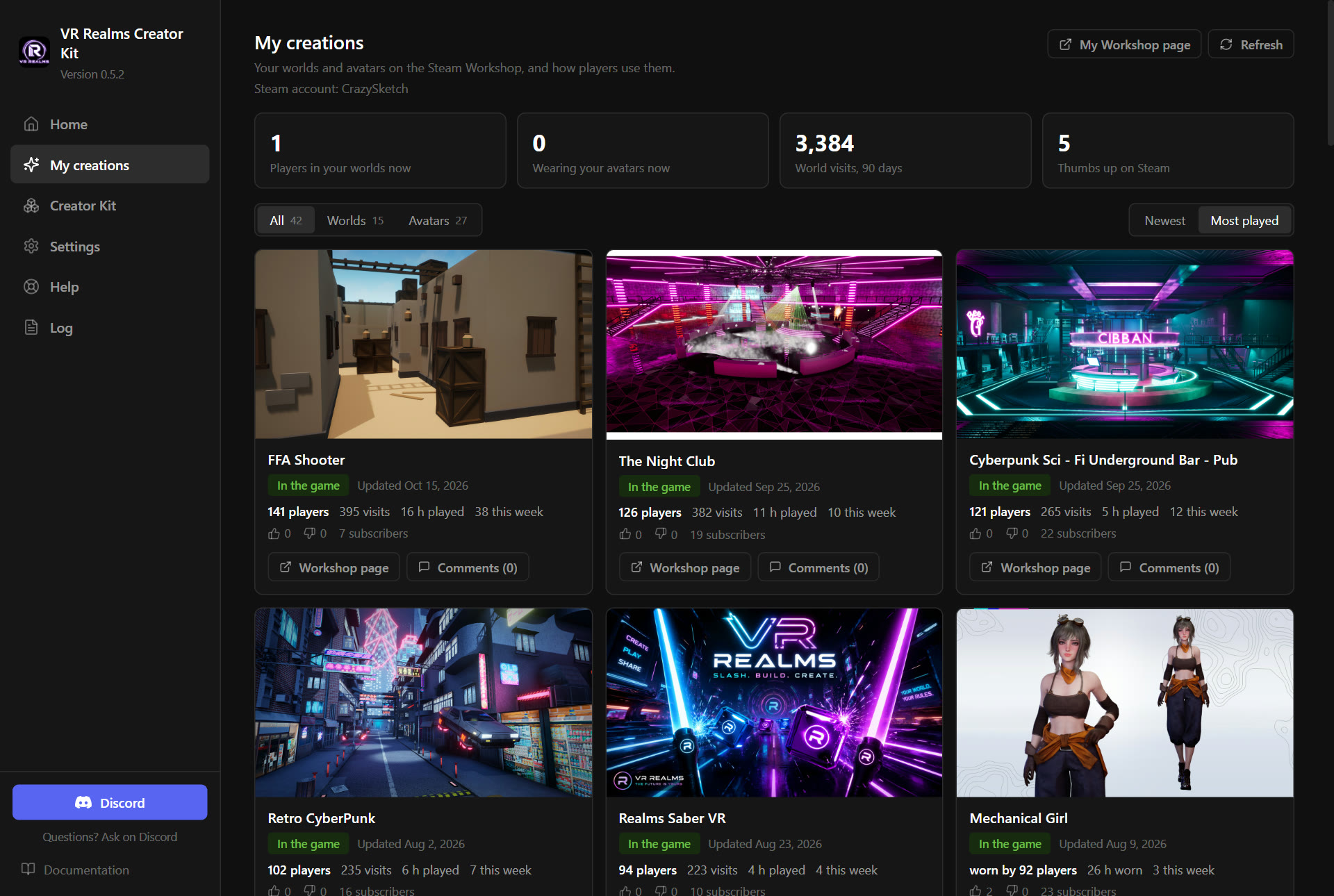
My creations lists your public Workshop worlds and avatars. For each one you see its players, visits, hours played, who is in it now, its Steam ratings and its comments. No creations yet? A Get building page shows you where to start.
VR Realms right now on the Home page shows the game live: players online, who is in the hub, the contest, events and polls.
Publish panel
Validate, fix, cook, test with Play Map and upload. Your tags go up with it.
Preparing your avatar
One button: reads the skeleton, adds physics to tails and hair.
Updating the kit
Keep Community content safe.
Why a separate project?
- Small and fast, with no game runtime
- Nothing of the game to leak
- Kit updates independent of the game
- Shared skeleton already set up
Support the kit
The Creator Kit is free and stays free. If it saved you some time, you can chip in once toward the server bill that keeps the hub online. Nothing is unlocked by it.