
Create · Step 3 of 6
Make a world
A floor, a place to spawn and some light. That is a world.
| You will make | A small world you can walk around in. |
| You need | Step 1 done. |
| Code needed | None |
Steps
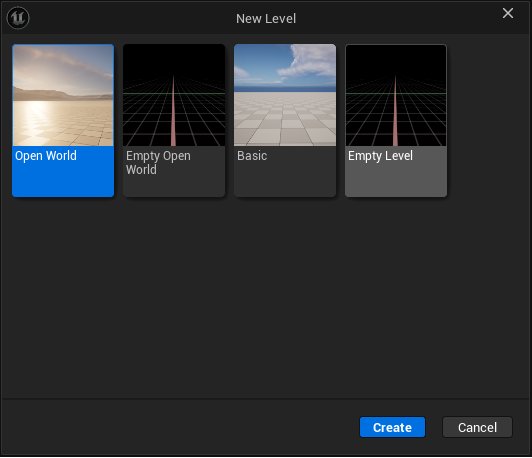
1. Make a new level
In the kit choose File → New Level. Empty Level is the lightest start for a headset. Basic and Open World work too.
2. Build your place
Add a floor, walls, light and materials, as in any Unreal level. Keep it small: a small world runs well in VR.
3. Add a Player Start
Players arrive at a PlayerStart. Put it at eye height, about 165 cm, with 2 m of clear space around it. Add a few of them if several players should arrive at once.
4. Cover the floor for teleport
From Place Actors, Volumes, drag in a Nav Mesh Bounds Volume and scale it over every floor players walk on. Press P to see it. Players who teleport land only there.
5. Save the level
Save it anywhere in the project. Build gathers everything the level uses later.
6. Give it a name
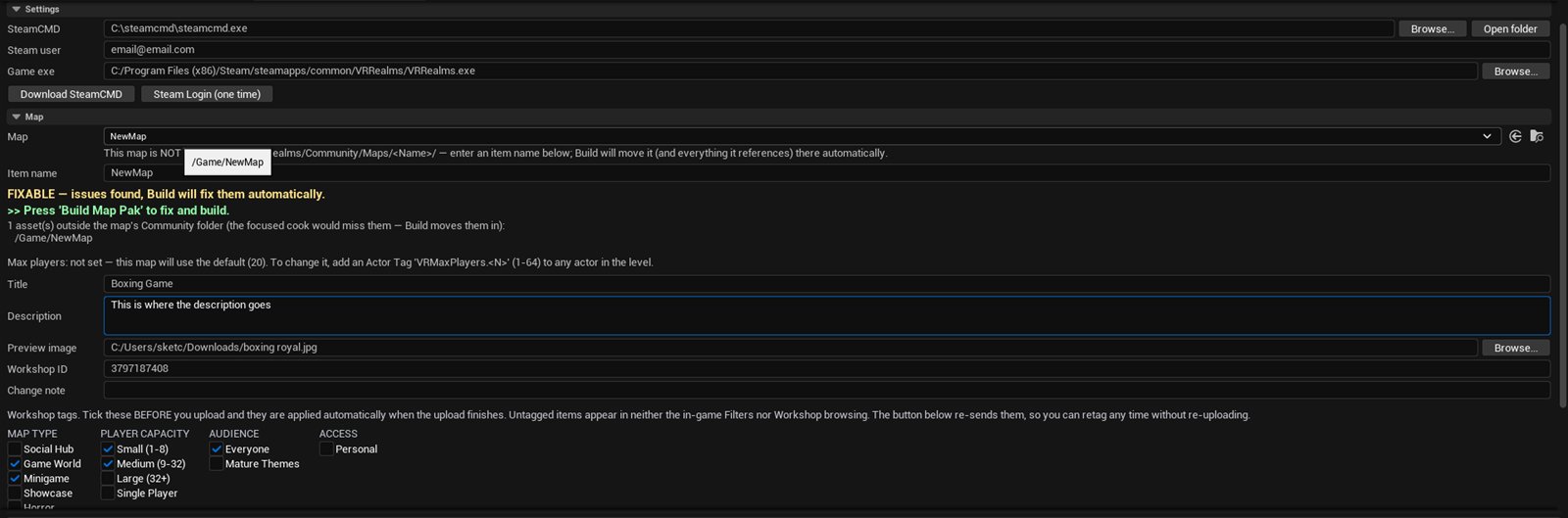
Open Tools → VR Realms Workshop, then the Map section. Pick your level and type an Item name. The name stays for good, so pick one you like.
Something went wrong?
Players are a flying camera, not a body
World Settings has a GameMode Override. Set it to None. VR Realms brings its own.
Grass shows black
With baked light, grass needs the landscape’s lightmap. Open each grass type and tick Use Landscape Lightmap.
The panel is red
Red INCOMPATIBLE names what is wrong in the log under it. Fix that line and it turns amber or green.