Create · Step 1 of 6
Start here
Install one free app. It sets up everything else for you, one button at a time.
| You will have | The Creator Kit, open in Unreal Engine and ready to make things. |
| You need | A Windows 10 or 11 PC. A Steam account with VR Realms, which is free. About 10 GB of free disk for the kit, plus Unreal Engine itself. |
| Code needed | None |
Steps
1. Get the Creator Kit app
Have VR Realms on Steam? Then you have the app too. In your Steam Library open the filter dropdown that says Games, pick Tools, find VR Realms Creator Kit, then press Install and Launch.
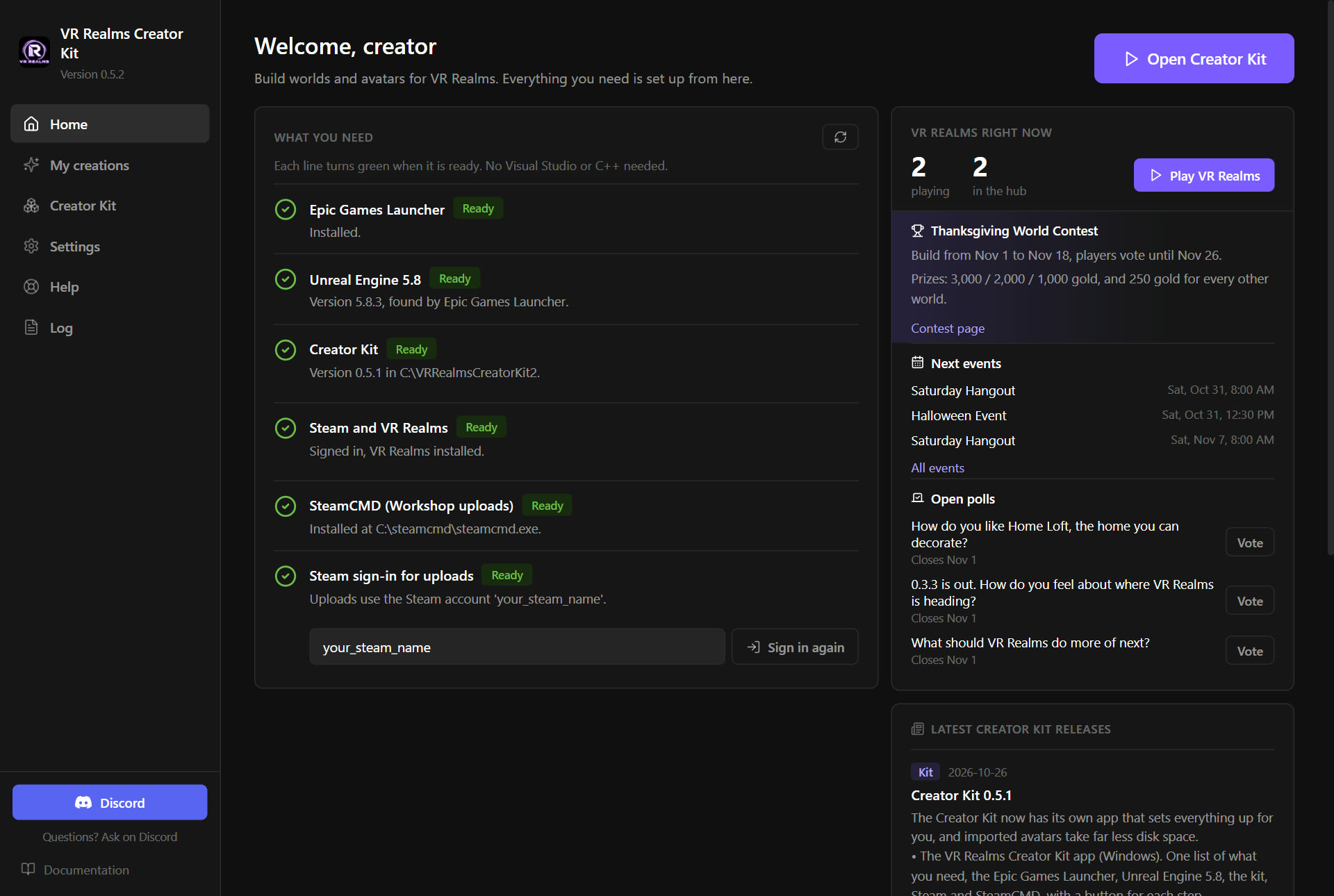
2. Follow What you need
The app shows a checklist: the Epic Games Launcher, Unreal Engine 5.8, and Steam with VR Realms. Each line has its own button. Press them from top to bottom.
The app never asks for your Steam password. The kit uploads through your own Steam app.
3. Install the kit
Pick a folder. The app installs the kit there and keeps it up to date. Your own worlds and avatars are never touched by an update.
4. Open it
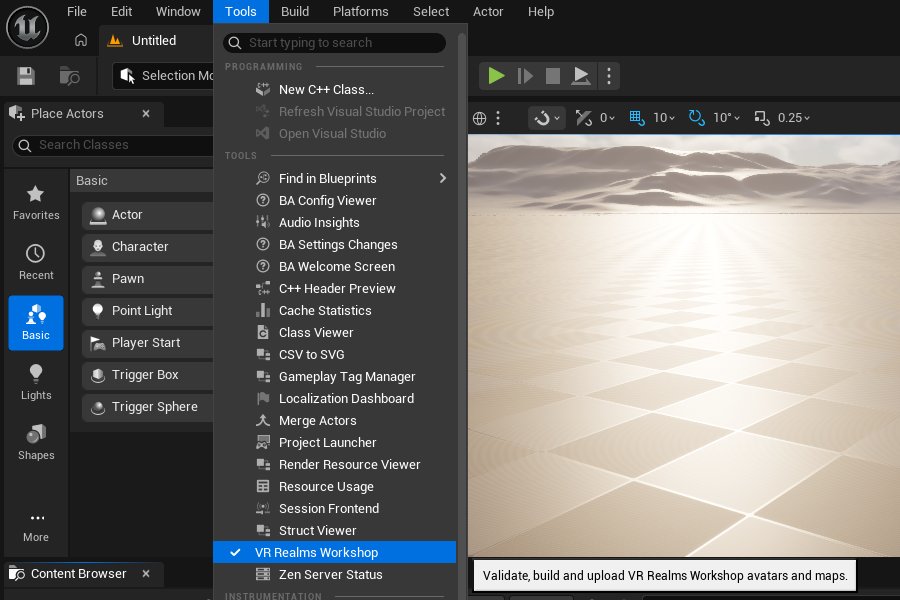
Press the button that opens the kit. Unreal Editor starts with the kit project. Everything you build and publish goes through one panel: Tools → VR Realms Workshop.
Something went wrong?
Windows says it protected my PC
The download from GitHub is not code signed yet. Choose More info, then Run anyway. The copy you install through Steam starts without that question.
The app does not find Unreal Engine 5.8
The app finds the engine through the Epic Games Launcher’s own list. Install Unreal Engine 5.8 from the launcher with its button on the checklist.
Something else
The app’s Log page lists everything it did. Copy it into Discord #creator-help and somebody will look. Join the Discord